
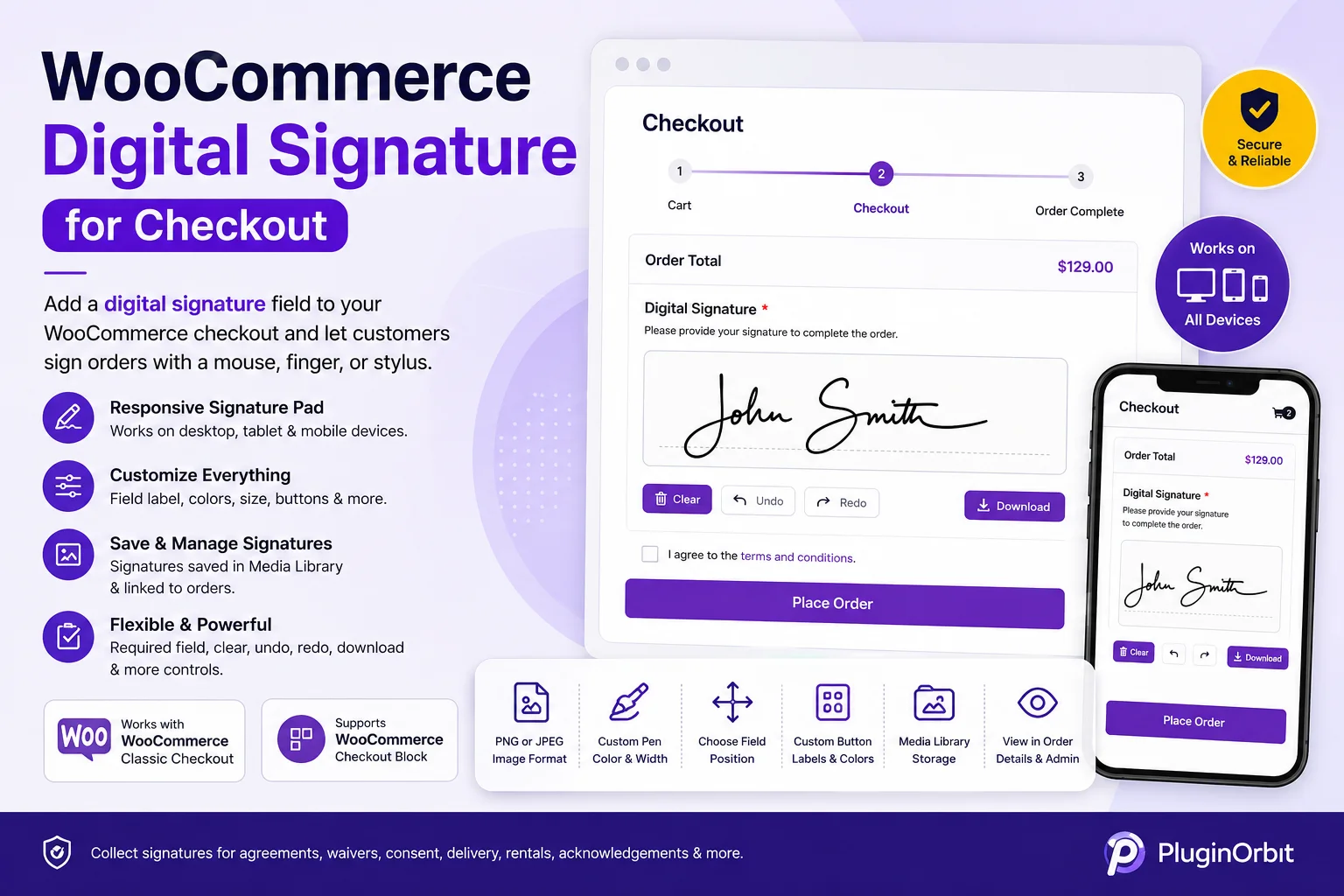
WooCommerce Digital Signature for Checkout
Add a digital signature to your WooCommerce checkout and let customers sign orders using a mouse, finger, or stylus. Digital Signature for eCommerce Checkout provides a responsive WooCommerce signature pad for collecting customer approvals, waivers, consent, delivery authorization, rental agreements, and other order-related acknowledgements.
The plugin works on desktop, tablet, and mobile devices and supports both classic WooCommerce checkout and the WooCommerce Checkout block. No third-party e-signature service is required.
Powerful WooCommerce Signature Pad
Add a customizable WooCommerce checkout signature field and configure it according to your store’s requirements.
Key Features
- Responsive signature pad – Works with mouse, touch, and stylus on desktop, tablet, and mobile.
- Custom signature field – Change the field label, position, canvas width, and height.
- Signature styling – Customize pen width, pen color, and background color.
- Required signature – Require customers to sign before completing checkout.
- PNG or JPEG – Choose the image format used to save signatures.
- Clear, Undo & Redo – Let customers easily correct their signatures.
- Custom buttons – Customize button labels and colors.
- Frontend download – Optionally allow customers to download their signature.
- Media Library storage – Automatically save signature images to the WordPress Media Library.
- Order integration – Link signatures directly to WooCommerce orders.
- Customer access – Customers can view their signature from their order details.
- Admin access – Store owners can view signatures from the WooCommerce order screen.
- Checkout Block support – Works with both classic checkout and WooCommerce Checkout blocks.
Free vs Pro
The Free version provides everything needed for basic WooCommerce digital signature collection, while Pro adds advanced controls, audit information, signed documents, reporting, and signature management.
| Feature | Free | Pro |
|---|---|---|
| WooCommerce checkout signature | ✓ | ✓ |
| Responsive signature pad | ✓ | ✓ |
| Mouse, touch & stylus support | ✓ | ✓ |
| Classic & Checkout Block support | ✓ | ✓ |
| Custom field, pad & button styling | ✓ | ✓ |
| Required signature | ✓ | ✓ |
| PNG & JPEG formats | ✓ | ✓ |
| Clear, Undo & Redo | ✓ | ✓ |
| Frontend signature download | ✓ | ✓ |
| Media Library & order storage | ✓ | ✓ |
| Type-to-sign mode | — | ✓ |
| Product/category restrictions | — | ✓ |
| Minimum order amount restriction | — | ✓ |
| GDPR consent checkbox | — | ✓ |
| Logged-in user restriction | — | ✓ |
| IP & browser information | — | ✓ |
| Timestamp & tamper-evidence hash | — | ✓ |
| Admin signature download | — | ✓ |
| Signature in order emails | — | ✓ |
| Signed PDF invoice | — | ✓ |
| Signature status, filtering & ZIP export | — | ✓ |
| Signature statistics | — | ✓ |
| Automatic signature deletion | — | ✓ |
Advanced Features with Pro
Upgrade to Digital Signature for eCommerce Checkout Pro for more advanced signature workflows.
Allow customers to type their name as a styled signature or switch between Draw and Type modes. Display the signature field only for selected product categories or orders above a specified amount.
Pro also adds a customizable GDPR consent checkbox, logged-in customer restriction, IP address and browser information, timestamp embedding, and a tamper-evidence hash to help create a more detailed signing record.
Store administrators can download signatures, include them in WooCommerce order emails, generate signed PDF invoices with a store logo, filter orders by signature status, export signatures in bulk as ZIP files, view signature statistics, and configure automatic signature deletion after a selected retention period.
Perfect for Many WooCommerce Businesses
A WooCommerce checkout signature can be useful for:
- Rental and equipment businesses
- Service providers
- Delivery and logistics stores
- Waivers and consent-based purchases
- Custom and personalized orders
- Customer authorization and acknowledgements
Is a Digital Signature Legally Binding?
The plugin captures a customer’s signature as an image and associates it with the WooCommerce order. Whether a digital signature is legally binding depends on applicable laws, regulations, jurisdiction, and how it is used. Pro provides additional signing information such as IP, browser details, timestamps, and tamper-evidence hashing, but does not provide legal advice or guarantee legal validity.
Get Digital Signature for eCommerce Checkout
Add a WooCommerce digital signature field to your checkout and collect customer signatures directly within your store.
Start with the Free version for essential signature capture, or upgrade to Pro for advanced audit information, signed PDFs, email signatures, reporting, restrictions, and signature management.
Reviews
There are no reviews yet.