WordPress is a popular content management system (CMS) that allows you to create, manage, and customize websites without needing to build everything from scratch. It can be used for blogs, business websites, portfolios, online stores, membership websites, and many other types of sites.
One reason WordPress is widely used is its flexibility. You can choose a theme to control your website’s appearance and add plugins to introduce new features and functionality. Our plugins can also help extend WordPress with practical features based on different website needs. Whether you are creating your first website or managing a growing business site, WordPress provides tools that can adapt to different needs.
In this guide, you’ll learn what WordPress is, how it works, what WordPress is used for, its key features and benefits, how plugins fit into the platform, and how beginners can get started.
What Is WordPress?
WordPress is an open-source content management system that helps users create and manage websites. Instead of manually creating every page with code, you can use the WordPress dashboard to publish content, upload images, manage pages, customize your website, and extend its functionality.
WordPress is commonly used as a website platform because it can support many different types of projects. A beginner can use it for a simple blog, while a business can customize it into a professional website with advanced functionality.
At its core, WordPress separates the main parts of a website into manageable components. Your content can be managed through the WordPress dashboard, the theme controls much of the website’s design, and plugins can add specific functionality.
This makes WordPress more than just a blogging platform. It is a flexible CMS that can be adapted to different website goals.
How Does WordPress Work?
WordPress works by combining a website’s content, design, hosting environment, and additional functionality into one manageable system.
When you create a WordPress website, several components work together:
WordPress Hosting
Your website needs a hosting environment where its files and database can be stored. When someone visits your website, the hosting server delivers the required content to their browser.
WordPress Themes
A theme controls many visual aspects of your website, including layouts, typography, colors, headers, footers, and other design elements. You can change or customize a theme without rebuilding your entire website.
WordPress Plugins
Plugins extend what WordPress can do. They can add contact forms, ecommerce features, security tools, SEO functionality, analytics integrations, payment options, and many other capabilities.
If you are looking for additional functionality, PluginOrbit provides WordPress and WooCommerce plugin solutions designed to add practical features to websites.
WordPress Dashboard
The WordPress dashboard is the central area where you manage your website. From there, you can create pages and posts, upload media, install plugins, manage themes, configure settings, and control other parts of your site.
Together, these components make WordPress easier to manage than building and maintaining every website feature manually.
What Is WordPress Used For?
WordPress is used to create and manage many different types of websites. Its flexibility allows individuals, businesses, creators, and organizations to use the same platform for very different purposes.
Common WordPress use cases include:
- Business websites: Create pages that explain your services, company, team, and contact information.
- Blogs: Publish articles, guides, news, tutorials, and other content.
- Portfolio websites: Showcase projects, work samples, skills, or creative services.
- Online stores: Combine WordPress with WooCommerce to sell physical or digital products.
- Membership websites: Provide restricted content or member-only features.
- Educational websites: Publish courses, resources, lessons, and learning materials.
- Service websites: Promote professional services and generate customer inquiries.
- News and magazine websites: Organize and publish large amounts of regularly updated content.
Because WordPress can be extended with themes and plugins, you are not limited to one particular website type. You can start with a simple site and add functionality as your requirements grow.
What Are the Key WordPress Features?
WordPress includes several features that make website creation and content management more accessible.
Content Management
You can create, edit, organize, and publish website content from the WordPress dashboard. Pages and posts make it easier to manage different types of information.
Themes and Customization
Themes provide the foundation for your website’s design. Depending on the theme and tools you use, you can customize layouts, colors, typography, navigation, and other visual elements.
Plugins
Plugins allow you to extend WordPress beyond its basic functionality. Instead of developing every feature yourself, you can install a plugin that provides the functionality your website needs.
Media Management
WordPress includes a media library where you can upload and manage images, documents, videos, and other media files used throughout your website.
User Management
WordPress supports different user roles and permissions, making it possible to give different people appropriate levels of access to a website.
Content Publishing
WordPress provides tools for publishing articles, pages, categories, tags, and other content. This makes it particularly useful for websites that regularly publish information.
These features work together to make WordPress suitable for both simple websites and more advanced projects.
What Are WordPress Plugins?
A WordPress plugin is a software extension that adds or changes functionality on a WordPress website. Plugins are one of the main reasons WordPress can be customized for different business and website requirements.
For example, you might use one plugin to add a contact form, another to improve ecommerce functionality, and another to manage website security or SEO.
The right plugin can save development time because you do not always need to build a feature from the beginning. However, installing too many unnecessary plugins can make website management more complicated. It is better to choose plugins that are maintained, compatible with your setup, and genuinely useful for your requirements.
For WooCommerce websites, plugins can also add specialized ecommerce functionality. If you are comparing different solutions, exploring your top WooCommerce plugins can help you identify extensions that match your store’s needs.
What Are the Benefits of Using WordPress?
WordPress offers several benefits that make it a practical choice for many website owners.
Easy Content Management
The dashboard provides a central place to manage your website content, making routine updates easier.
Flexible Customization
Themes and plugins allow you to change the appearance and functionality of your website according to your requirements.
Suitable for Different Websites
WordPress can support blogs, business websites, portfolios, ecommerce stores, membership sites, and many other projects.
Large Plugin and Theme Ecosystem
A wide range of themes and plugins gives website owners many options for extending their websites.
Scalable
You can begin with a basic website and add functionality as your business or content needs change.
Useful for Content-Focused Websites
WordPress makes publishing and organizing content straightforward, which can be valuable for blogs, publishers, businesses, and websites that rely on content marketing.
However, WordPress is not completely maintenance-free. Website owners should keep WordPress, themes, and plugins updated and follow good security and performance practices.
Is WordPress Free?
WordPress software itself is available as open-source software, so you can use it without paying a software licensing fee. However, creating and operating a website can involve other costs.
Depending on your setup, you may need to pay for:
- A domain name
- Web hosting
- Premium themes
- Premium plugins
- Professional development
- Maintenance or other website services
The total cost depends on what you want to build and which tools or services you choose.
So, while WordPress can be used for free as software, running a professional website may still involve ongoing expenses.
WordPress.org vs WordPress.com: What’s the Difference?
WordPress.org and WordPress.com are related to WordPress but provide different approaches to creating and managing a website.
WordPress.org generally refers to the self-hosted version of WordPress. You arrange your own hosting and have greater control over your website, themes, plugins, files, and customization.
WordPress.com is a hosted service where the hosting environment is provided as part of the platform. The available features and level of control depend on the plan and setup you choose.
For beginners, the important difference is control and management. A self-hosted WordPress website generally provides more flexibility, while a hosted approach can simplify some aspects of getting started.
Before choosing between them, consider your technical requirements, budget, customization needs, and how much control you want over your website.
WordPress vs WooCommerce: What’s the Difference?
WordPress is the CMS and website platform, while WooCommerce adds ecommerce functionality to WordPress.
You can use WordPress to create a business website, blog, portfolio, or other types of websites without using WooCommerce. If you want to sell products or services online, WooCommerce can turn a WordPress website into an ecommerce store.
If you want a deeper comparison of their roles and differences, see our WooCommerce vs WordPress guide.
This distinction is important for beginners because WooCommerce is not a replacement for WordPress. Instead, it works with WordPress to provide ecommerce features.
How Do You Get Started With WordPress?
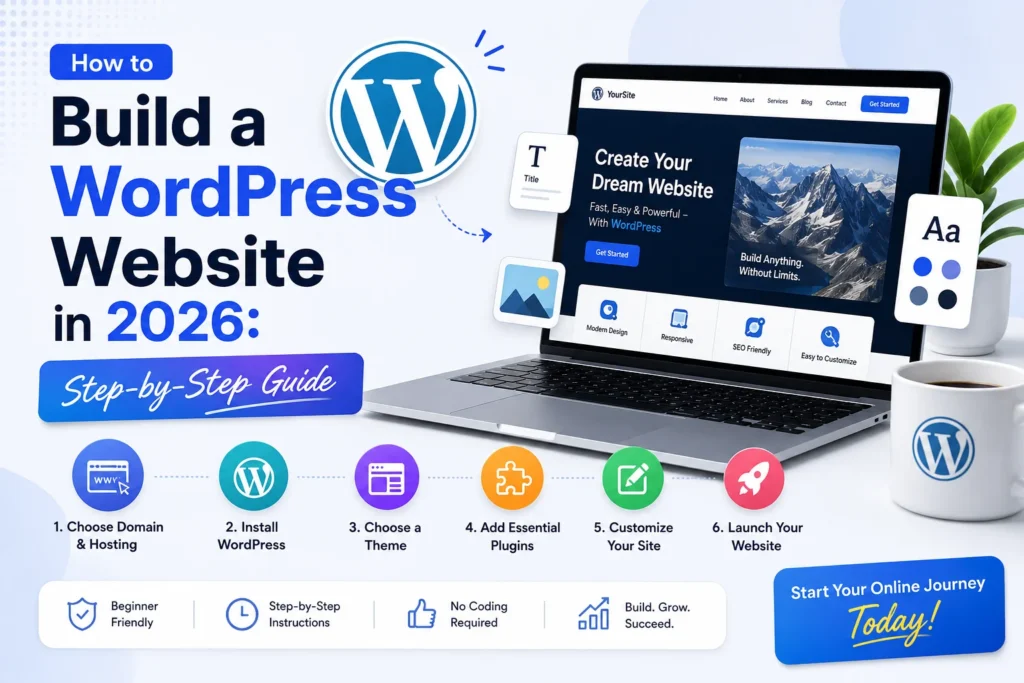
Getting started with WordPress can be broken into a few basic steps:
- Choose a domain name that represents your website or business.
- Select suitable hosting for your website requirements.
- Install WordPress on your hosting environment.
- Choose a theme that matches your website’s purpose and design needs.
- Customize your website by setting up pages, navigation, branding, and layouts.
- Install essential plugins for the functionality your website actually needs.
- Create important pages such as About, Contact, Services, or Shop.
- Publish useful content that answers your audience’s questions and supports your website goals.
- Maintain your website by keeping WordPress, themes, and plugins updated.
You do not need to build everything at once. A better approach is to start with the essential pages and functionality, then expand the website as your needs become clearer.
Is WordPress Right for You?
WordPress can be a strong option if you want a website that gives you flexibility over content, design, and functionality.
It can work well for beginners who want to create a website without building everything from scratch, as well as businesses that need more customization as they grow.
WordPress may be especially useful if you plan to publish content regularly, customize your website, add functionality through plugins, or build an ecommerce store with WooCommerce.
At the same time, you should be prepared for routine maintenance, updates, backups, security, and performance optimization.
Conclusion
So, what is WordPress? WordPress is a flexible content management system that helps you create, manage, and customize different types of websites. Its themes control design, while plugins extend functionality and allow you to build a website around your specific requirements.
From a simple blog or business website to a full ecommerce store, WordPress can adapt to many use cases. Its flexibility, content management capabilities, and large ecosystem make it a practical option for beginners and growing businesses.
If you are starting your first WordPress website, focus on the essentials first: choose reliable hosting, select an appropriate theme, install only the plugins you need, create useful content, and maintain your website regularly.