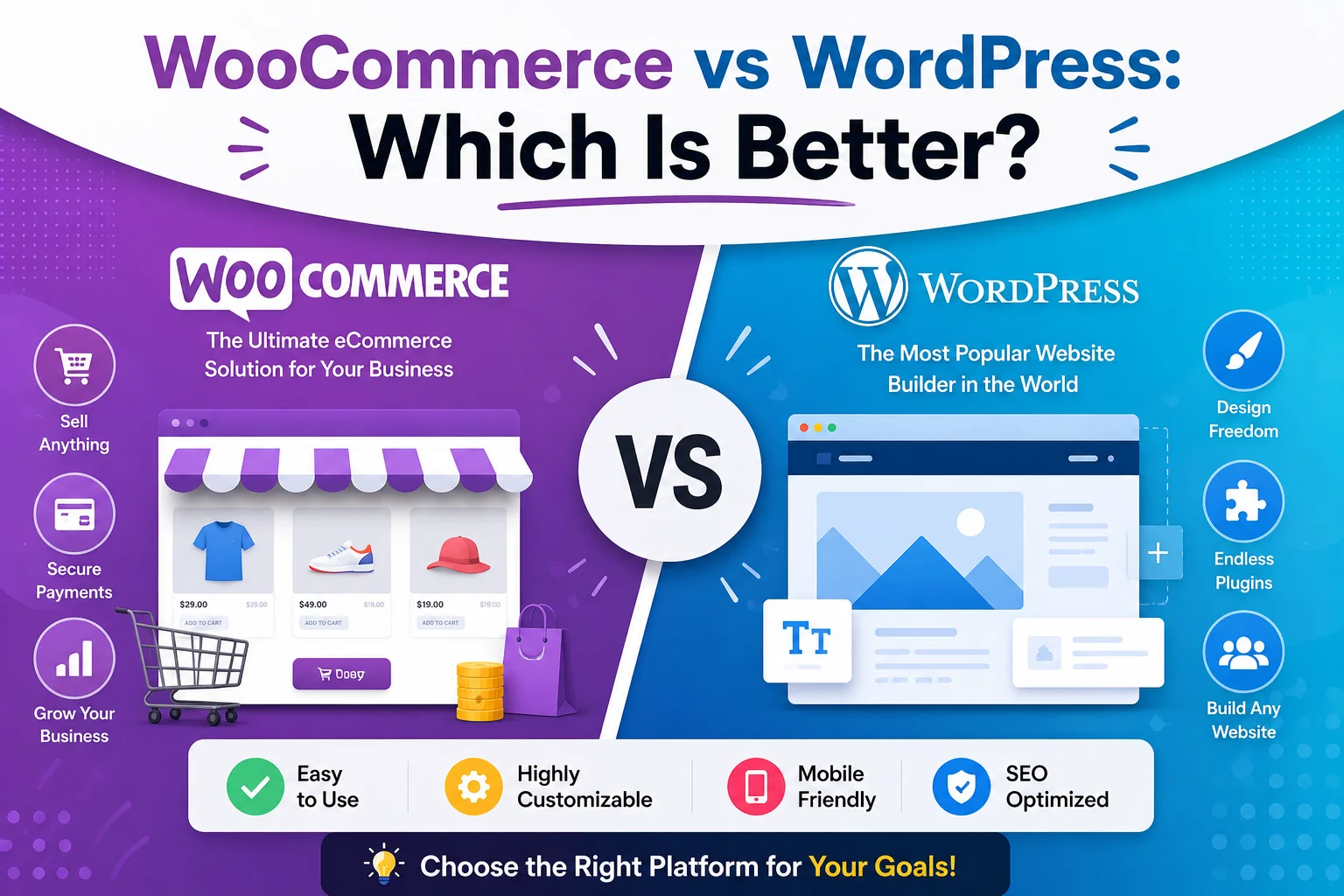
If you are planning to build a website or start selling products online, you may be comparing WooCommerce vs WordPress. Although they are often mentioned together, they are designed for different purposes.
WordPress is a content management system (CMS) used to create and manage websites, while WooCommerce adds ecommerce functionality to WordPress. If you want to sell online, you can also extend your store with tools such as WooCommerce Digital Signature Plugins for customer approvals and signing workflows.
WooCommerce vs WordPress: What’s the Difference?
The biggest difference between WordPress and WooCommerce is their role.
WordPress provides the foundation for your website. It allows you to create pages, publish posts, manage media, customize your design, and extend your website with plugins.
WooCommerce adds ecommerce functionality to that WordPress website. It provides tools for managing products, carts, checkout, orders, payments, shipping, and other store-related requirements.
So, WooCommerce and WordPress are not direct alternatives. WooCommerce is designed to work with WordPress.
A simple way to understand the relationship is:
WordPress = Website foundation
WooCommerce = Ecommerce functionality
WooCommerce vs WordPress: At a Glance
| Factor | WordPress | WooCommerce |
| Primary purpose | Website and content management | Ecommerce |
| Best for | Blogs, business sites, portfolios, content | Online stores |
| Product management | Not built specifically for ecommerce | Yes |
| Shopping cart | No | Yes |
| Ecommerce checkout | No complete built-in system | Yes |
| Order management | No | Yes |
| Payment integrations | Requires additional solutions | Supports ecommerce integrations |
| Shipping features | Not built for this | Yes |
| Works with the other? | Yes | Requires WordPress |
This comparison shows why the two should not always be viewed as competitors. In many cases, businesses use WordPress with WooCommerce to combine content management and ecommerce.
How Do WooCommerce and WordPress Work Together?
A WooCommerce website starts with WordPress.
WordPress provides the website environment, while WooCommerce adds the tools required to sell products. After installing WooCommerce, you can configure your products, store settings, payment methods, shipping, taxes, checkout, and orders.
For example, an online clothing store might use WordPress for:
- Homepage
- About page
- Blog
- Contact page
- Website navigation
- General content
WooCommerce can handle:
- Product listings
- Product prices
- Product categories
- Shopping cart
- Checkout
- Customer orders
- Shipping options
- Store-related functionality
This combination allows businesses to manage their website and online store from the same platform.
WooCommerce vs WordPress Features
When comparing WooCommerce vs WordPress features, it is important to consider what each one is designed to do.
WordPress Features
WordPress focuses primarily on website and content management. Common features include:
- Pages and posts
- Media management
- Themes
- Navigation menus
- Content publishing
- User management
- Plugins
- Website customization
- Blogging
These capabilities make WordPress suitable for business websites, blogs, portfolios, service websites, publishers, agencies, and other content-driven projects.
WooCommerce Features
WooCommerce extends WordPress with ecommerce functionality.
Common WooCommerce features include:
- Product management
- Product categories
- Shopping carts
- Checkout
- Order management
- Payment integrations
- Shipping configuration
- Coupons and discounts
- Customer information
- Ecommerce extensions
- Store management tools
WooCommerce can also be extended with additional plugins when a store needs more advanced functionality.
For example, a store may require additional tools for product customization, advanced checkout fields, types of digital signatures, subscriptions, bookings, or specialized product selection.
Which Is Better for an Online Store?
If your main goal is to build an online store, WooCommerce with WordPress is generally the more suitable setup.
WordPress provides the website foundation, but it does not provide a complete ecommerce system by itself. WooCommerce adds the functionality required to operate a store.
WooCommerce can be useful when you need to:
- Sell physical products
- Sell digital products
- Manage product catalogs
- Accept online payments
- Process customer orders
- Configure shipping
- Offer discounts
- Customize checkout
- Extend store functionality
So, when deciding between WooCommerce or WordPress for ecommerce, the practical answer is usually WordPress with WooCommerce.
WooCommerce vs WordPress for Beginners
For beginners, the relationship between the two can seem confusing.
The easiest way to understand it is:
WordPress creates and manages the website.
WooCommerce adds the online store.
If you only need a website where visitors can learn about your business, read your content, view your services, or contact you, WordPress may be enough.
If customers need to browse products, add items to a cart, complete checkout, and place orders, WooCommerce provides the ecommerce functionality required.
What should beginners consider?
Before setting up WooCommerce, consider:
- What products will you sell?
- Will you sell physical or digital products?
- Which payment methods will you accept?
- Do you need shipping?
- What customer information should checkout collect?
- Do you need additional store extensions?
It is also better to avoid installing unnecessary plugins. Start with the functionality your store actually needs and expand as your requirements grow.
WooCommerce vs WordPress: Cost
Cost is another important consideration when choosing between WordPress and WooCommerce.
Neither choice should be evaluated only by looking at the software itself. The total cost of a website depends on the tools and services required to operate it.
Potential costs can include:
- Domain registration
- Web hosting
- Premium themes
- Premium plugins
- WooCommerce extensions
- Payment processing fees
- Security
- Website maintenance
- Custom development
A simple WordPress website may require fewer additional services. An ecommerce store may need more tools for payments, shipping, marketing, analytics, checkout, and product management.
Therefore, when comparing WooCommerce vs WordPress cost, consider the complete cost of running your website rather than comparing only individual products or plugins.
Can You Use WordPress Without WooCommerce?
Yes. WordPress can be used without WooCommerce.
Many websites do not need ecommerce functionality. WordPress alone can be suitable for:
- Business websites
- Blogs
- Portfolio websites
- Service websites
- News websites
- Personal websites
- Informational websites
For example, a consulting company that only wants to explain its services and collect inquiries through a contact form may not need WooCommerce.
If the business later decides to sell products or digital services online, ecommerce functionality can be added when needed.
Can You Use WooCommerce Without WordPress?
WooCommerce is designed to work with WordPress, so it is not normally used as a standalone replacement for WordPress.
This is an important point when understanding WooCommerce vs WordPress.
You generally do not choose WooCommerce instead of WordPress.
Instead:
WordPress + WooCommerce = Website + Ecommerce
WordPress provides the foundation, and WooCommerce adds the store functionality.
WooCommerce vs WordPress: Pros and Cons
WordPress Pros
- Flexible for many types of websites
- Strong content management capabilities
- Large ecosystem of themes and plugins
- Suitable for businesses, blogs, and content sites
- Can be expanded as requirements change
WordPress Cons
- Does not provide a complete ecommerce system by default
- Larger websites may require ongoing maintenance
- Plugin and theme quality can vary
WooCommerce Pros
- Designed specifically for ecommerce
- Works with WordPress
- Supports product and order management
- Provides shopping cart and checkout functionality
- Supports payment and shipping integrations
- Can be extended with additional plugins
WooCommerce Cons
- Requires WordPress
- Ecommerce stores need ongoing management
- Additional extensions can increase overall costs
- More complex stores may require technical expertise
When Should You Add WooCommerce to WordPress?
You do not necessarily need WooCommerce from the beginning.
If your website starts as a simple business or content website, you can add WooCommerce later when your business needs ecommerce functionality.
For example:
Step 1: Build your WordPress website.
Step 2: Publish content and promote your services.
Step 3: Decide to sell products online.
Step 4: Add WooCommerce and configure your store.
Step 5: Add additional functionality as your business grows.
This approach can help you avoid unnecessary complexity before you actually need ecommerce features.
WooCommerce for Growing Online Stores
As an ecommerce business grows, its requirements can become more advanced.
A store may eventually need functionality for:
- Advanced product selection
- Checkout customization
- Product personalization
- Customer approvals
- Digital signatures
- Subscriptions
- Bookings
- Marketing automation
- Customer management
For example, businesses that require signed agreements or customer approvals as part of an ecommerce workflow may benefit from digital signature solutions.
If digital signing is relevant to your store, explore WooCommerce Digital Signature Plugins for more information about ecommerce-focused signing solutions.
You can also learn about different signing methods in Types of Digital Signatures or explore Digital Signature for eCommerce Checkout for checkout-specific use cases.
Conclusion
The WooCommerce vs WordPress comparison becomes easier once you understand that they serve different purposes. WordPress provides the foundation for your website, while WooCommerce adds the ecommerce functionality needed to run an online store.
Choose WordPress if you need a blog, portfolio, service website, business website, or other content-focused site.
Choose WooCommerce with WordPress if you want to sell products online, manage orders, accept payments, customize checkout, or add ecommerce features such as digital signature software for customer approvals.
WordPress provides the functionality needed to start and grow your business. PluginOrbit helps businesses explore practical WooCommerce plugins and solutions for extending their WordPress stores as their needs grow.
There is no single winner between the two. The right choice depends on what you want to build. For a regular website, WordPress may be enough.