Running a WooCommerce store involves more than managing products and processing customer orders. As a business grows, keeping inventory accurate, tracking customer information, coordinating order fulfillment, and managing financial records across different systems can become challenging.
Handling these activities manually can also increase the risk of duplicate entries, delayed updates, and operational mistakes.
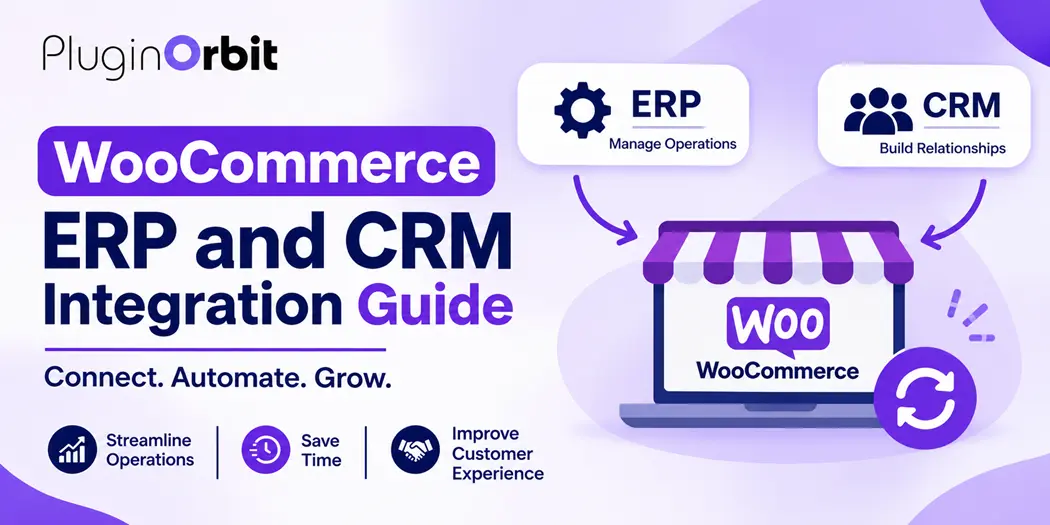
A WooCommerce ERP system connects your online store with essential processes such as inventory, accounting, purchasing, and order management. It also supports smoother WooCommerce business operations by helping businesses organize customer information, track purchase history, and manage communication through CRM integration.
Understanding how these systems work together can help store owners reduce repetitive tasks, improve data accuracy, and build a more organized ecommerce operation.
What Is WooCommerce ERP?
WooCommerce ERP refers to connecting a WooCommerce store with an Enterprise Resource Planning (ERP) system to manage business activities through a centralized platform.
WooCommerce provides essential ecommerce functionality, including product management, checkout, order processing, and customer accounts. However, businesses with more complex operations may need additional systems to manage inventory across multiple locations, accounting, purchasing, warehouse activities, and fulfillment.
An ERP system connects these processes and allows relevant information to move between WooCommerce and other business departments.
For example, when a customer purchases a product, the order information can be transferred to the ERP system. The ERP can then process the order, update inventory records, and support fulfillment activities based on its configuration.
This connection helps businesses manage more than their online storefront from one coordinated operational workflow.
Why Does Your WooCommerce Store Need ERP Integration?
Managing an ecommerce business becomes more complicated as order volumes, product catalogs, and customer requirements increase. WooCommerce ERP integration helps address several operational challenges.
1. Reduce Manual Data Entry
Without integration, employees may need to enter order details, customer information, and product updates into multiple systems. This repetitive work takes time and increases the possibility of incorrect records.
Connecting WooCommerce with an ERP system can automate supported data transfers and reduce unnecessary manual entry.
2. Improve Inventory Accuracy
Maintaining accurate stock information is important for businesses selling across multiple channels or warehouse locations.
An ERP integration can synchronize inventory changes between WooCommerce and the ERP system. This helps store owners maintain more consistent stock records and reduce the risk of selling unavailable products.
3. Simplify Order Management
As order volumes increase, tracking purchases, payments, shipping, and fulfillment manually becomes difficult.
An integrated system can transfer order information to the ERP, where employees can manage relevant processing activities without repeatedly entering the same details.
4. Improve Business Reporting
Business owners need accurate information to understand sales performance, inventory movement, expenses, and operational costs.
An ERP system can bring information from different business functions together, making it easier to review performance and identify areas that need improvement.
How Does WooCommerce ERP Integration Work?
WooCommerce ERP integration connects your online store with an external ERP platform through an integration plugin, API, middleware, or custom development.
The exact process depends on the ERP software and the integration method. However, a typical order synchronization workflow includes the following steps:
- Customer places an order: A shopper purchases a product through your WooCommerce checkout.
- Order information is transferred: The integration sends relevant order details to the connected ERP system.
- ERP processes the order: The system records the purchase and starts the configured order management workflow.
- Inventory is updated: Stock quantities are adjusted according to the ERP’s inventory rules.
- Fulfillment begins: Warehouse or fulfillment teams process the order.
- Status information is synchronized: Relevant order and shipping updates can be sent back to WooCommerce.
For reliable synchronization, businesses should configure product identifiers, SKU matching, customer fields, order statuses, and inventory rules correctly.
For example, if the same product is sold through a WooCommerce store and a physical retail location, an integrated ERP can help coordinate stock updates across both sales channels, provided the system supports that workflow.
What Is WooCommerce CRM Integration?
WooCommerce CRM integration connects your online store with Customer Relationship Management software to organize customer information and improve communication.
While ERP focuses primarily on internal business operations, CRM focuses on customer relationships, sales activities, and interactions throughout the buying journey.
A connected CRM system can collect and organize relevant customer information, such as:
- Customer names and contact details.
- Previous purchases and order history.
- Customer preferences and interactions.
- Sales inquiries and lead information.
- Customer segments and communication records.
For example, when someone places an order, relevant customer and purchase information can be transferred to the CRM. Your sales or marketing team can then use that information to understand customer activity and plan suitable follow-up communication.
WooCommerce CRM integration can be particularly useful for businesses that handle repeat purchases, customer inquiries, wholesale relationships, or longer sales cycles.
ERP vs. CRM: What Is the Difference?
ERP and CRM systems support different parts of an ecommerce business. Understanding their roles helps store owners decide which integration they actually need.
| Business activity | ERP system | CRM system |
| Inventory management | Main function | Limited or connected visibility |
| Order processing | Operational management | Sales and customer context |
| Accounting | Financial management | Usually limited |
| Customer records | Business records | Customer relationship management |
| Sales tracking | Sales and operational reporting | Lead and sales pipeline management |
| Warehouse operations | Main function | Not typically a core function |
| Customer communication | Limited | Main function |
An ERP system helps coordinate internal operations, while a CRM system helps businesses manage customer relationships.
Using both systems together can provide a more complete view of business operations and customer activity.
Key Features to Look for in a WooCommerce ERP System
Not every ERP platform offers the same functionality. Before selecting ERP for WooCommerce, evaluate your store’s operational needs and see abandoned carts to better understand customer activity.
1. Inventory and Product Synchronization
Look for inventory synchronization that can transfer stock changes, product information, and SKU details between WooCommerce and your ERP system.
This is particularly important for stores managing large product catalogs or multiple sales channels.
2. Centralized Order Management
An ERP system should support the order information and processing workflows your business requires.
Check whether it can handle order imports, status updates, refunds, and other relevant order activities.
3. Accounting and Financial Management
Accounting functionality can help businesses coordinate sales records, invoices, taxes, expenses, and financial reporting.
Confirm which accounting features are available directly and which require additional integrations.
4. Warehouse and Fulfillment Management
Businesses with larger inventories may benefit from warehouse management, stock transfers, picking, packing, and shipping workflows.
These features can help coordinate fulfillment activities as order volumes increase.
5. Customer Data Synchronization
If you use both ERP and CRM software, check whether relevant customer records can be shared without creating duplicate or inconsistent information.
6. Automated Reporting
Reporting tools can help business owners monitor sales, stock movement, financial performance, and operational activities.
Choose a system that provides the reports you need to make informed business decisions.
WooCommerce Checkout Optimization and ERP Integration
Checkout is an important part of the ecommerce workflow because it collects the information required to process customer purchases.
Effective WooCommerce Checkout Optimization can help businesses collect accurate customer details, reduce unnecessary checkout steps, and maintain consistent order information.
When checkout data is transferred to an ERP system, businesses can use relevant information for order processing, invoicing, and fulfillment.
Consider these practical improvements:
- Keep checkout fields relevant to the products and services being sold.
- Make billing and shipping information easy to complete.
- Avoid requesting unnecessary customer information.
- Validate required fields before submitting orders.
- Ensure additional checkout information is mapped correctly to the connected system.
For businesses that require customer approval or agreement during checkout, WooCommerce checkout customization can help collect digital signatures as part of the purchasing process.
This can be useful for stores selling customized products, services, or items that require customer confirmation.
How to Choose the Right ERP for WooCommerce
Choosing an ERP platform requires more than comparing software features. The right solution should match your business size, operational requirements, budget, and existing technology.
Consider these factors before making a decision:
1. Business requirements: Identify whether you need inventory management, accounting, warehouse operations, purchasing, or advanced order processing.
2. WooCommerce compatibility: Confirm that the ERP provides a compatible integration method for your WooCommerce version and store configuration.
3. API and integration support: Check whether the platform supports APIs, webhooks, or reliable integration connectors.
4. Scalability: Consider whether the software can support additional products, warehouses, sales channels, and employees as your business grows.
5. Integration costs: Review software subscriptions, connector fees, development expenses, data migration, and ongoing maintenance.
6. Technical support: Check the availability of documentation, troubleshooting resources, and support for integration-related issues.
Small stores may only need basic inventory and order synchronization, while larger businesses may require more advanced automation and multi-location management.
Common WooCommerce ERP Integration Challenges and Solutions
Although integration can improve operational efficiency, incorrect configuration can create problems. Understanding common challenges before implementation can help prevent unnecessary disruptions.
| Common challenge | Practical solution |
| Duplicate orders | Use unique order identifiers and synchronization rules |
| Incorrect inventory | Define a primary inventory source |
| Missing customer details | Map WooCommerce and ERP customer fields correctly |
| Failed API requests | Monitor integration logs and configure retry handling |
| Delayed stock updates | Choose an appropriate synchronization frequency |
| Data inconsistencies | Validate product SKUs and data formats |
| Security concerns | Use secure authentication and appropriate access permissions |
Before enabling an integration on a live store, test important workflows using sample orders and products.
Pay particular attention to order creation, inventory changes, cancellations, refunds, and customer record updates.
How WooCommerce Cart Recovery Supports Customer Retention
ERP and CRM systems help businesses manage internal operations and customer relationships, but customer retention also requires an effective follow-up process.
Shopping cart abandonment is one area where store owners can improve their customer communication. Some shoppers add products to their carts but leave before completing checkout.
A suitable WooCommerce abandoned cart recovery strategy can help businesses identify unfinished purchases and plan follow-up communication.
For example, a store can review abandoned cart activity, identify potential customer concerns, and send suitable recovery reminders where customer consent and applicable privacy requirements allow.
When relevant customer activity is also available in a CRM, businesses can use that information to understand shopping behavior and improve their retention efforts.
Best Practices for Successful WooCommerce ERP and CRM Integration
A successful integration requires proper planning, configuration, and ongoing monitoring. Follow these practices to keep your connected systems reliable.
- Review existing workflows: Identify how orders, products, inventory, and customer information are currently managed.
- Choose a data source: Decide which system controls important information, such as inventory quantities and customer records.
- Map data fields: Match product IDs, SKUs, order details, and customer fields between platforms.
- Test before launch: Verify orders, refunds, stock changes, and customer updates in a test environment.
- Monitor synchronization: Review failed requests, duplicate records, and delayed updates.
- Protect business data: Use secure connections, suitable authentication, and controlled user permissions.
- Review performance: Check whether the integration continues to support your business requirements as operations grow.
A well-planned integration should simplify existing workflows rather than introduce additional complexity.
Conclusion
WooCommerce ERP and CRM integration can help growing ecommerce businesses coordinate inventory, order processing, financial information, and customer relationships more effectively.
ERP supports internal business operations, while CRM helps organize customer information and communication. Connecting these systems with WooCommerce can reduce repetitive tasks, improve data consistency, and provide better visibility into different business activities.
For additional ways to improve your store’s functionality, explore PluginOrbit’s WooCommerce solutions.
Before choosing an integration solution, evaluate your operational requirements, system compatibility, synchronization capabilities, security, and long-term costs. Start with the workflows that create the most manual work, test the integration carefully, and expand its functionality as your business grows.