Choosing an ecommerce platform affects how you manage products, accept payments, control costs, and grow your online business. WooCommerce is a popular option for businesses that want to sell through WordPress, but it also requires decisions about hosting, maintenance, security, and additional functionality.
Understanding the WooCommerce pros and cons can help you decide whether the platform matches your budget, technical skills, and long-term business goals. This article explains the main benefits, limitations, costs, and use cases so you can make an informed decision before building your store.
What Is WooCommerce?
WooCommerce is a free, open-source ecommerce plugin that adds online selling functionality to WordPress. It allows businesses to create product pages, manage orders, configure shipping, accept payments through supported gateways, and sell physical or digital products.
One of its main advantages is flexibility. Store owners can customize their websites using themes, extensions, and custom development rather than relying entirely on a fixed set of platform features.
The core plugin is free, although hosting, premium extensions, payment processing, and development can add to the overall cost.
If you’re new to the platform, read what WooCommerce is and how it works before deciding whether it suits your business.
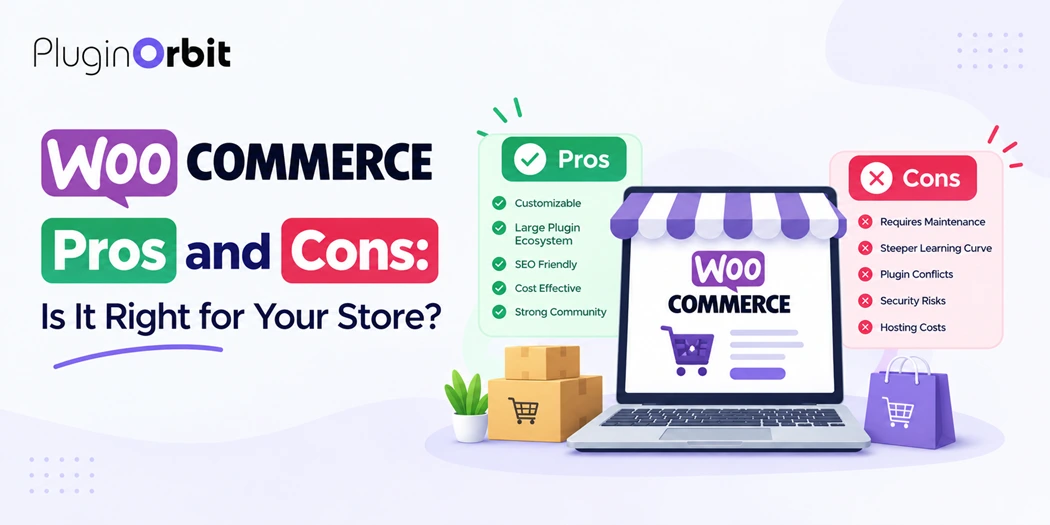
WooCommerce Benefits: 5 Advantages to Consider
1. Flexible Store Customization
WooCommerce gives store owners control over many aspects of their website, including product layouts, checkout experiences, navigation, and store functionality. You can start with a suitable theme and add features as your requirements change.
For example, a small business might begin with a standard product catalog and later introduce product customization, wholesale pricing, or additional checkout fields. This flexibility is useful when your store has requirements that a basic ecommerce setup cannot meet.
However, extensive customization may require technical knowledge or help from a developer. Choosing compatible themes and extensions from the beginning can reduce unnecessary complexity.
2. No Core Platform Subscription Fee
The WooCommerce core plugin is free to download and use. Unlike platforms that charge a recurring subscription for the core ecommerce service, WooCommerce lets you choose your hosting provider and decide which paid features your store needs.
This can make the platform attractive to startups and small businesses that want control over their initial investment. However, free software does not mean that operating a store is completely free.
You may need to pay for a domain, hosting, premium themes, extensions, payment processing, backups, and technical support. Review the official WooCommerce pricing information and estimate the total cost before committing to a setup.
3. Ownership and Control Over Store Data
WooCommerce runs on WordPress, giving store owners substantial control over their website content, product information, and hosting environment. You can choose your hosting provider, adjust your site’s functionality, and plan future changes according to your business needs.
This control can be valuable for businesses that want to manage their content and ecommerce operations together. It can also make migration planning more flexible because you are not tied to a single hosted storefront provider in the same way as with some closed platforms.
However, ownership comes with responsibility. You need reliable backups, appropriate access controls, regular updates, and a plan for protecting customer and order information.
4. A Large Extension Ecosystem
WooCommerce supports extensions that add functionality beyond the core store. Depending on your needs, you can integrate payment services, shipping tools, marketing features, inventory systems, and specialized checkout options.
This modular approach lets businesses add features as their operations develop instead of purchasing every capability at the beginning.
Explore 10 must-have WooCommerce plugins to compare possible additions to your store. Before installing an extension, check its compatibility, update history, support options, and effect on performance.
The goal is not to install as many plugins as possible. Choose tools that solve real business problems and avoid overlapping functionality.
5. Built-In Connection With WordPress Content
Because WooCommerce works with WordPress, businesses can manage their store and publish supporting content on the same website. Product pages, blog posts, buying guides, and category pages can work together to answer customer questions and support organic search visibility.
For example, a store selling home products can publish buying guides that explain product differences and link readers to relevant categories. This creates a more useful shopping journey than relying on product listings alone.
Good rankings are not automatic, though. Your results still depend on content quality, site performance, technical SEO, competition, and how well your pages satisfy search intent.
Disadvantages of WooCommerce: 5 Limitations to Know
1. Hosting and Maintenance Are Your Responsibility
WooCommerce is not a fully managed ecommerce service by default. With a self-hosted WordPress installation, you need to choose suitable hosting and manage important maintenance tasks or arrange for a provider to handle them.
These tasks may include software updates, backups, security monitoring, troubleshooting, and performance checks. Neglecting them can lead to slow pages, compatibility problems, or store downtime.
Before launching, establish a maintenance routine and select hosting that suits your expected traffic and store requirements.
2. Total Costs Can Increase Over Time
Although the core plugin is free, the cost of running a WooCommerce store can increase as your business needs become more complex.
Expenses may include better hosting, paid extensions, premium themes, payment processing fees, developer assistance, and security services. A store with advanced shipping rules or customized checkout requirements may need a larger budget than a simple store selling a few products.
To manage expenses, list the features you genuinely need, compare recurring charges, and review your software subscriptions regularly. Avoid purchasing extensions until you understand the problem they are intended to solve.
3. The Learning Curve Can Be Challenging
Beginners may need time to understand WordPress, WooCommerce settings, product management, payment configuration, shipping rules, and plugin compatibility.
Although routine tasks can be straightforward once the store is configured, setting up taxes, resolving checkout issues, or customizing complex functionality may require additional assistance.
A practical approach is to start with essential features, test the buying process, and expand gradually. If you prefer a platform that handles most technical maintenance for you, compare WooCommerce with hosted alternatives before choosing.
4. Plugin Conflicts Can Affect Store Functionality
Extensions make WooCommerce flexible, but installing tools from different developers can introduce compatibility issues. A plugin update may affect checkout behavior, product displays, email notifications, or another extension’s functionality.
Before updating a live store, create a backup and test important changes on a staging website when possible. Keep your plugins and themes updated, remove unused extensions, and investigate compatibility before adding new tools.
If your store depends on several extensions, document their purpose and monitor critical customer journeys, especially product selection, checkout, payment, and order confirmation.
5. Performance and Security Need Ongoing Attention
A WooCommerce store can become slow when it uses unsuitable hosting, oversized images, inefficient code, or too many resource-intensive extensions. Poor performance can frustrate shoppers and make product pages and checkout harder to use.
Store owners also need to protect administrator accounts, apply updates, use secure connections, maintain backups, and choose reputable extensions. Security depends on the wider WordPress environment and how the store is maintained, not just on WooCommerce itself.
Review your setup regularly and improve your WooCommerce store’s speed to help maintain a responsive shopping experience.
Is WooCommerce Expensive to Run?
The cost depends on the size of your store and the services you choose. The core plugin has no mandatory monthly subscription, but the total operating budget can include:
- Domain registration and web hosting.
- Premium themes or extensions.
- Payment processing fees.
- Security, backup, and performance services.
- Developer support and ongoing maintenance.
A simple store may require relatively few paid additions, while a larger store with custom functionality may need more investment. Estimate both your initial setup expenses and ongoing costs before launch.
WooCommerce vs. Other Ecommerce Platforms
WooCommerce is often a strong option for businesses that value WordPress integration, customization, and control over their hosting environment. Hosted platforms may suit merchants who prefer a more centralized setup with less direct responsibility for technical maintenance.
The right choice depends on your priorities. Consider your budget, technical confidence, required integrations, growth plans, and the time you can dedicate to managing the store.
Don’t compare platforms on subscription prices alone. Include transaction processing, paid features, hosting, maintenance, and the cost of getting the functionality your business needs.
Who Should Use WooCommerce?
WooCommerce may be a good fit for:
- WordPress users who want to add ecommerce to an existing website.
- Small businesses that need control over store design and functionality.
- Content-focused brands that combine articles, landing pages, and product listings.
- Growing businesses that want to add capabilities as their requirements change.
It may be less suitable for business owners who want minimal technical involvement and do not have the time or budget to arrange maintenance. In that situation, a hosted ecommerce platform may be more convenient.
Before deciding, write down your essential features, available budget, maintenance responsibilities, and plans for growth. Compare these requirements with what each platform provides.
Is WooCommerce Right for Your Store?
WooCommerce offers flexibility and control, particularly for businesses that want to combine WordPress content with ecommerce. Its main trade-off is that store owners must plan for hosting, maintenance, security, and the cost of any additional features they need.
When weighing the pros and cons of WooCommerce, focus on the total cost of ownership, the level of control you want, and the technical responsibilities you can manage. If WooCommerce fits those requirements, start with essential functionality and add extensions as your business grows.
If you’re planning to extend your store, browse Our Plugins to find tools that match your specific WooCommerce requirements.