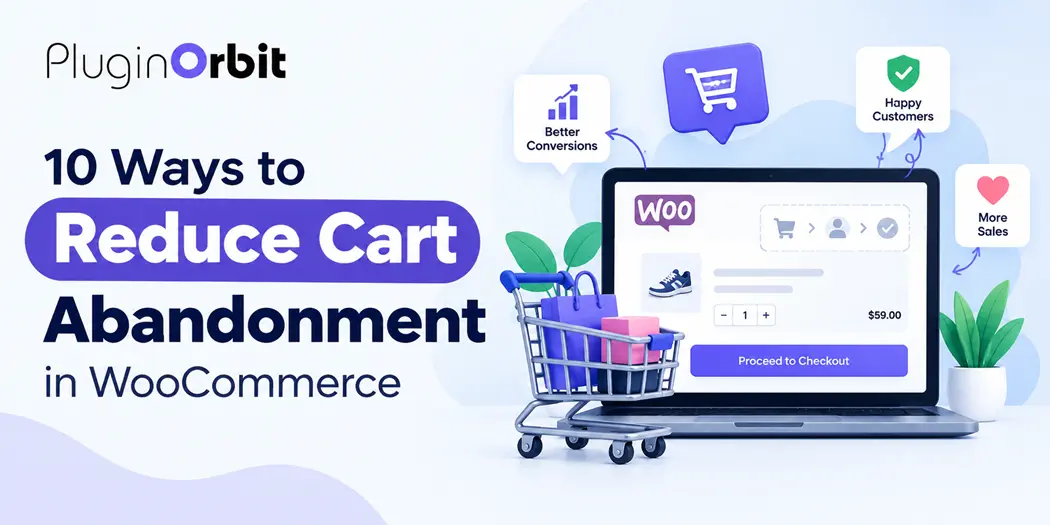
Cart abandonment is a common challenge for WooCommerce store owners. A customer may browse products, add items to their cart, and even start checkout without completing the purchase. This can happen because of unexpected shipping costs, complicated checkout forms, limited payment options, slow page loading, or a lack of trust.
To reduce cart abandonment, store owners should simplify checkout, display costs clearly, and offer convenient payment options. Using PO Abandoned Cart for WooCommerce can also help recover lost sales through automated cart recovery emails.
In this article, we explain 10 practical ways to reduce cart abandonment in WooCommerce, identify common reasons shoppers leave, and show how to recover some of those missed sales.
What Is Shopping Cart Abandonment?
Shopping cart abandonment occurs when a customer adds one or more products to an online shopping cart but leaves without completing the purchase. In WooCommerce, this may happen before checkout, during checkout, or when a customer reaches the payment stage and does not finish the order.
For example, a shopper might add a pair of shoes to their cart, discover an unexpected delivery fee, and leave the website. Another shopper may want to purchase but abandon the process because the checkout form requests too much information.
Not every abandoned cart represents a lost sale permanently. Some customers are comparing prices, researching products, saving items for later, or waiting until payday. The goal is to make purchasing easier for shoppers who are ready to buy and provide a convenient way for interested customers to return.
Common Reasons for Cart Abandonment
Understanding the reasons for cart abandonment helps you choose the right improvements instead of making random changes to your store.
Common causes include:
- Unexpected costs: Shipping fees, taxes, and additional charges appear late in checkout.
- Complicated checkout: Too many fields or unnecessary steps make purchasing frustrating.
- Mandatory registration: Customers must create an account before placing an order.
- Limited payment options: Shoppers cannot use their preferred payment method.
- Slow website performance: Product, cart, or checkout pages take too long to load.
- Trust concerns: Customers cannot easily find shipping policies, returns information, or secure payment details.
- Delivery uncertainty: Estimated delivery dates or shipping options are unclear.
- Technical problems: Payment errors, broken buttons, or confusing validation messages interrupt checkout.
The most effective solution depends on your store’s actual customer behavior. Review checkout analytics, customer feedback, and abandoned-cart records to determine which issues deserve attention first.
10 Ways to Reduce Cart Abandonment in WooCommerce
1. Display All Costs Before Checkout
Unexpected costs are one of the reasons shoppers leave an online store. If customers discover expensive shipping, taxes, or additional fees only at the final stage, they may reconsider the purchase.
Make pricing as transparent as possible throughout the shopping experience.
For example, display product prices clearly, explain shipping charges, and communicate applicable taxes or additional fees before customers reach the final payment step. If shipping costs depend on location, provide a shipping calculator or explain when the final amount will be calculated.
You can also offer free shipping above a minimum order value if your profit margins support it. Display the eligibility requirements clearly so customers understand how to qualify.
Action tip: Test the shopping journey as a new customer. Add a product to your cart and check whether any unexpected charges appear late in the process.
2. Enable Guest Checkout
Requiring customers to create an account can introduce unnecessary friction, particularly for first-time buyers who want to complete a quick purchase.
Guest checkout allows eligible shoppers to place an order without creating a permanent account. Customers can provide the information required for payment and delivery while avoiding additional registration steps.
In WooCommerce, review the account and privacy settings to configure guest checkout according to your store’s requirements.
If you want customers to create accounts, make registration optional where possible and explain the benefits, such as viewing order history or managing future purchases.
Forcing account creation is not always necessary to collect the information needed to process an order.
Action tip: Test guest checkout on desktop and mobile devices to ensure customers can complete a purchase without unnecessary interruptions.
3. Simplify the WooCommerce Checkout Process
A long or confusing checkout can discourage customers from completing their purchases. Every unnecessary field, unclear instruction, or extra step creates another opportunity for shoppers to leave.
WooCommerce Checkout Optimization should focus on making the process easy to understand and complete.
Start by reviewing your checkout fields. Remove information that is not essential for processing orders, delivering products, or meeting your business requirements. Use clear labels, helpful field instructions, and understandable error messages.
For example, if your store does not need a company name for most consumer purchases, consider making that field optional. Use address autocomplete where appropriate, and make required fields obvious.
Avoid adding unnecessary promotional pop-ups or distractions during checkout.
Before changing your live checkout, test the changes with different products, shipping addresses, and payment methods. Confirm that order details are saved correctly and that customers can complete purchases without errors.
Action tip: Count the steps required to place an order and identify which ones can be simplified without removing essential information.
4. Improve Your Store’s Loading Speed
Slow-loading pages can frustrate shoppers who are ready to purchase. Performance problems are especially damaging when customers are entering delivery details or waiting for a payment page to respond.
To reduce cart abandonment, make sure your product, cart, and checkout pages load reliably across desktop and mobile devices.
Start by testing your store with performance tools and checking for large images, unnecessary scripts, excessive plugins, and hosting limitations. Compress product images, use suitable caching where compatible, and keep WordPress, WooCommerce, themes, and plugins updated.
Avoid assuming that installing more optimization plugins will automatically make your website faster. Test performance after each significant change, particularly on checkout pages where caching or JavaScript optimization can interfere with dynamic functionality.
For a more detailed performance checklist, see our guide on Speed Up WooCommerce.
Action tip: Test a complete purchase after performance changes to confirm that cart updates, shipping calculations, and payment processing still work correctly.
5. Offer Convenient and Reliable Payment Methods
Customers may abandon checkout when they cannot use a payment method they trust or prefer. The right payment options depend on your target audience, location, average order value, and business model.
Consider offering suitable choices such as credit and debit cards, digital wallets, or locally preferred payment methods where available.
Display accepted payment methods clearly and ensure the checkout communicates payment requirements before customers submit their orders. Keep payment instructions straightforward, and provide helpful messages if a transaction fails.
Test each enabled gateway regularly. Check whether payment errors are caused by expired credentials, configuration problems, unsupported currencies, or temporary service interruptions.
Do not enable payment methods simply to increase the number of options. Prioritize methods your customers actually use and that your business can support securely.
Action tip: Review failed payment orders and customer support messages to identify recurring payment-related problems.
6. Build Trust With Clear Policies and Security Information
Customers need confidence in a store before sharing payment and personal information. Unclear policies or missing contact details can make a legitimate business appear unreliable.
Provide easy access to your shipping, returns, refund, privacy, and contact information. Explain delivery estimates, eligibility for returns, and how customers can contact your team if they need help.
Use secure HTTPS connections and reputable payment gateways. Display genuine customer reviews, accurate product descriptions, and authentic product images where appropriate.
If your business sells products requiring customer authorization, agreements, or acknowledgments, make those requirements clear before customers reach the final step. Avoid introducing unexpected legal or consent requirements at the last moment.
Trust signals should be accurate and relevant. Do not display fabricated reviews, unsupported security claims, or misleading guarantees.
Action tip: Review your checkout from the perspective of a first-time buyer. Check whether customers can easily understand who operates the store, how their information is handled, and what happens after an order is placed.
7. Make Mobile Shopping Easier
A checkout experience that works well on a desktop may be difficult to use on a smartphone. Small buttons, crowded forms, slow-loading images, and awkward payment fields can make purchasing unnecessarily difficult.
Test your entire WooCommerce shopping journey on different screen sizes. Customers should be able to select product variations, review cart items, enter delivery information, and complete payment without excessive scrolling or zooming.
Use readable text, appropriately sized buttons, clear error messages, and mobile-friendly form controls. Check that discount fields, shipping options, and payment elements remain accessible on smaller screens.
Pay particular attention to third-party payment gateways and checkout customization plugins. Their interfaces may behave differently across devices.
Action tip: Place a test order on a real mobile device. Identify every point where you need to zoom in, repeat information, or struggle to select an option.
8. Provide Clear Delivery Information and Customer Support
Customers may hesitate to purchase when they do not know when an order will arrive or what to do if something goes wrong.
Display realistic delivery estimates and explain available shipping options before the customer reaches the final payment step. If delivery times vary by location, communicate those differences clearly.
Make it easy to find contact information, frequently asked questions, and relevant product support details. A visible support email, contact form, or suitable live-chat option can help shoppers resolve questions before abandoning their carts.
If you sell products with multiple sizes, colors, materials, or configurations, make those options clear on the product page. Customers should understand exactly what they are purchasing.
For stores that handle product inquiries or custom orders, a well-designed product selection or inquiry workflow can help customers get the information they need before committing to a purchase.
Action tip: Review customer support conversations and identify recurring questions about delivery, returns, product compatibility, or payment. Address common concerns directly on the website.
9. Send Timely Abandoned Cart Recovery Emails
Even after improving your checkout, some shoppers will still leave without purchasing. Recovery emails provide a way to remind eligible customers about their unfinished shopping sessions and make it easier to return.
An effective recovery email should include a clear subject line, relevant product information, a concise reminder, and a direct link that helps the customer continue the purchase. The message should be useful rather than pressuring.
You can test different sending delays and subject lines to understand what works for your audience. Avoid sending excessive reminders, and respect applicable consent, privacy, and email-marketing requirements.
For automated recovery, PO Abandoned Cart for WooCommerce helps store owners manage abandoned carts and configure recovery email rules with different delays and subject lines. Its cart-restoration links can help shoppers return to their selected products without rebuilding the cart manually.
You can also customize WooCommerce emails to improve the clarity and branding of customer communications.
Action tip: Start with a simple recovery message and measure delivery, clicks, recovered orders, and unsubscribes before expanding your email sequence.
10. Track Abandoned Carts and Improve Based on Data
Reducing cart abandonment requires ongoing measurement. A change that improves one store may have little effect on another, so use your own data to identify the most valuable improvements.
Monitor metrics such as:
- Cart-to-order conversion rate
- Checkout completion rate
- Checkout abandonment rate
- Payment failure rate
- Recovery email click-through rate
- Recovered orders and revenue
- Mobile versus desktop conversion rates
Use consistent definitions when comparing these metrics. For example, cart abandonment and checkout abandonment measure different stages of the shopping journey, so their rates should not be treated as interchangeable.
Review your analytics alongside customer feedback and order records. If many shoppers leave after shipping costs appear, investigate shipping transparency. If checkout starts are high but completed orders are low, test payment methods, form complexity, and technical errors.
To identify unfinished purchases, read our guide on See Abandoned Carts in WooCommerce.
When choosing additional tools, compare the best WooCommerce plugins based on your actual needs, compatibility, maintenance, and performance impact.
Action tip: Change one major checkout element at a time where practical, then compare results over a meaningful period. This makes it easier to determine which improvements contribute to better conversions.
How to Measure Cart Abandonment in WooCommerce
A useful starting point is to define cart abandonment consistently across your analytics and recovery tools.
A common cart abandonment formula is:
Cart abandonment rate = [(Carts created − Orders completed) ÷ Carts created] × 100
For example, if your store records 500 carts and 150 corresponding completed purchases during the same defined measurement period, the calculated abandonment rate is 70%.
However, this calculation is meaningful only when carts and purchases are measured consistently. Customers may create multiple carts, return later to complete purchases, or use the cart to compare products. Some analytics tools also measure checkout sessions rather than individual carts.
Use the same reporting method over time, segment results by device or traffic source where useful, and avoid interpreting a single day’s data as a reliable trend.
Conclusion
The best way to reduce cart abandonment is to make buying straightforward, transparent, and reliable. Start with the issues that create the most friction, such as unexpected costs, complicated checkout forms, slow pages, and payment failures.
Then strengthen the recovery process with relevant emails, convenient cart-restoration links, and consistent performance monitoring. Use your WooCommerce data to measure the results and prioritize improvements that genuinely help customers complete their purchases.
By combining better WooCommerce Checkout Optimization with a practical recovery strategy, you can make the shopping experience easier for customers while creating more opportunities to convert unfinished purchases into completed orders.