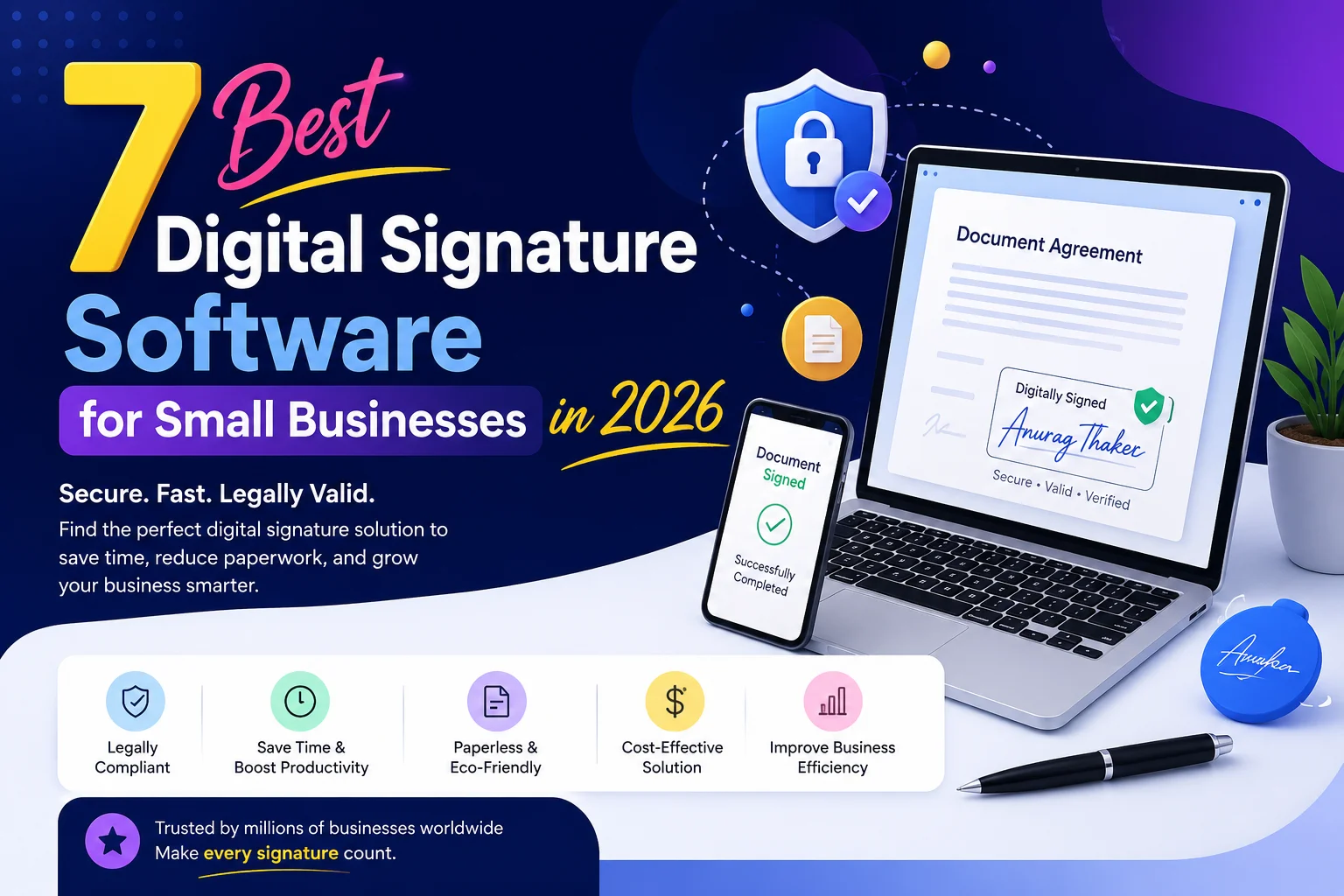
Small businesses need a simple and reliable way to collect signatures for contracts, customer approvals, waivers, agreements, and other important documents. Moving between printed forms, scanned copies, and email attachments can make even a simple signing process unnecessarily time-consuming.
A good digital signature solution can help businesses move these processes online and make signing easier for both the business and its customers. However, the right software depends on how your business collects signatures. A WooCommerce store may need a signature during checkout, while a consulting company may need to send contracts and track multiple signers.
In this guide, we compare seven popular digital signature software options for small businesses and explain where each one fits best. We also cover the key features and benefits you should consider before choosing an e signature for businesses.
1. PluginOrbit – Best Digital Signature Solution for WooCommerce
For a WooCommerce store, asking a customer to leave the checkout page just to sign a document can create unnecessary friction.
That’s where PluginOrbit takes a different approach. Its Digital Signature for eCommerce Checkout plugin is designed to place a signature field directly on the WooCommerce checkout page, allowing customers to sign as part of the order process.
This makes it particularly relevant for stores where the signature is connected to a purchase rather than a separate contract-management workflow.
Why PluginOrbit Stands Out
The main advantage is simple: the signature becomes part of the checkout experience.
A store can configure the signature field, make it required when necessary, and customize aspects of the signing area. The plugin also supports a responsive signature pad, which is useful when customers complete orders from mobile devices.
Depending on the configuration, businesses can also save signatures as image files and manage signature-related information through the WooCommerce order workflow.
The Pro functionality extends the workflow with options such as GDPR consent, logged-in-user restrictions, signature downloads from the admin order area, signature information in order emails, and PDF invoices containing the signature.
Benefits for Small Businesses
PluginOrbit can be useful when a business needs a customer to acknowledge something before an order is completed.
For example, it can support:
Customer acknowledgments
Waivers
Consent requirements
Order authorization
Special-order agreements
Other checkout-related approvals
Instead of creating a document separately and then trying to connect the signed document back to an order, the business can collect the signature where the customer is already completing the transaction.
If your goal is to Collect Digital Signature inside a WooCommerce workflow, this focused approach can be more practical than adopting a large standalone agreement platform.
Best choice for: WooCommerce stores that need signatures during checkout.
2. DocuSign – Best for Regular Business Agreements
Not every signature belongs inside an online store.
Many small businesses regularly send agreements to clients, suppliers, employees, or business partners. In these situations, a dedicated eSignature platform can make more sense because the document itself is the center of the workflow.
DocuSign is built around sending, signing, tracking, and managing agreements. It also supports reusable templates and broader agreement workflows, making it suitable for businesses that handle documents repeatedly.
For a growing business, this can be useful when signing requirements become more complicated over time.
For example, a service company may need to send the same type of client agreement every month. Instead of preparing every document manually, the team can build a repeatable process.
Best choice for: Businesses that regularly send contracts and agreements.
Think about another option if: your main requirement is collecting a signature directly during WooCommerce checkout.
3. Adobe Acrobat Sign – Best for PDF-Based Workflows
Businesses that work heavily with PDF documents may want their signing process to stay close to their existing document workflow.
Adobe Acrobat Sign provides tools for sending, signing, tracking, and managing documents electronically. It also includes features such as reusable templates, reminders, mobile signing, automatic record keeping, and integrations with other business applications. A Adobe
This can be helpful for teams that already prepare important business documents as PDFs.
Another advantage is that businesses can use both electronic signatures and certificate-based digital signatures depending on their requirements. A Adobe Help Center
For a small company that handles proposals, forms, agreements, and other PDF documents regularly, keeping these activities within one document workflow can reduce unnecessary switching between applications.
Best choice for: PDF-heavy businesses and teams already working within the Adobe ecosystem.
4. PandaDoc – Best for Sales Documents
A sales team usually doesn’t need a signature in isolation.
A typical sales process might look like this:
Proposal → Review → Approval → Signature → Completed agreement
PandaDoc is designed around this broader document journey. It can be useful when a business creates proposals, quotes, contracts, and other documents that eventually need to be signed.
This makes it particularly relevant for agencies, consultants, service providers, and sales teams where the document itself plays an important role in closing a deal.
Instead of treating signing as a completely separate activity, businesses can connect it with the document and sales process.
For example, an agency could prepare a client proposal, send it for review, and then move the same document into the signing stage.
Best choice for: Sales teams and businesses that frequently send proposals, quotes, and contracts.
5. Dropbox Sign – Best for Simple Signing Needs
Sometimes a business doesn’t need an extensive agreement-management system.
It may simply need to send a document, collect a signature, and know when the process is complete.
Dropbox Sign is a practical option for this type of workflow. Its signing experience focuses on sending documents for signature, reusable templates, reminders, signer fields, and tracking. It can also fit naturally into workflows where documents are already stored in Dropbox.
This makes it worth considering for small teams that want to avoid unnecessary complexity.
For example, a small service company could create a reusable agreement template and use it whenever a new client signs up.
The important advantage here is simplicity. If your team only needs recurring document signing, you may not need a platform designed around a much larger agreement-management process.
Best choice for: Small businesses that want a straightforward digital signing workflow.
6. SignNow – Best for Growing Document Workflows
A small business may start with simple signature requests but eventually need more structured workflows.
As the number of documents increases, businesses may need reusable templates, multiple signers, signing order, fillable fields, document tracking, notifications, and other workflow features.
SignNow is aimed at businesses that need this broader flexibility.
It can be useful when signing becomes a regular part of internal or customer-facing processes rather than an occasional task.
For example, a business may use different document templates for customers, vendors, employees, and partners. Having more control over those workflows can reduce repetitive manual work.
The main reason to consider this type of platform is flexibility. It gives a growing team more room to build structured signing processes instead of treating every document as a one-off request.
Best choice for: Growing businesses with increasingly structured document workflows.
7. Zoho Sign – Best for Businesses Already Using Zoho
The software your business already uses can influence which digital signature tool makes the most sense.
For companies already working with Zoho applications, Zoho Sign can provide a more connected signing experience. It supports digital signing, templates, workflow management, tracking, branding, and other business-oriented capabilities.
This can be useful because the signing process doesn’t have to exist as an isolated activity.
For example, if your business already manages customer or operational information within the Zoho ecosystem, connecting document signing to that environment may reduce unnecessary tool switching.
Zoho Sign also provides options relevant to businesses operating in India, making it worth considering for companies that need India-specific signing workflows.
Best choice for: Businesses already using Zoho applications.
Quick Comparison of the Best Digital Signature Software
| Software | Best For | Key Strength |
| PluginOrbit | WooCommerce stores | Signature collection during checkout |
| DocuSign | Growing businesses | Broad eSignature workflows |
| Adobe Acrobat Sign | PDF-focused teams | Adobe document ecosystem |
| PandaDoc | Sales teams | Proposals and document workflows |
| Dropbox Sign | Simple signing | Easy signing experience |
| SignNow | Growing teams | Flexible document workflows |
| Zoho Sign | Zoho users | Zoho ecosystem integration |
Key Features to Look for in Digital Signature Software
Choosing the best digital signature solution isn’t about finding the software with the biggest feature list.
Instead, think about what happens before, during, and after someone signs.
1. Simple Signature Collection
The signing process should be easy enough that customers or clients don’t need instructions to complete it.
A complicated process can cause abandoned forms, delayed agreements, and unnecessary follow-ups.
2. Mobile-Friendly Signing
Many customers now complete business activities from smartphones.
A responsive signing experience is therefore especially important for eCommerce businesses.
3. Multiple Signers
If an agreement needs signatures from several people, check whether the platform supports multiple recipients and the signing order your workflow requires.
4. Reusable Templates
If your business repeatedly uses the same agreements, templates can save time and reduce repetitive document preparation.
5. Tracking
A useful digital signature platform should make it easy to understand what is happening with a document.
For example:
Has it been sent?
Has the recipient opened it?
Is it waiting for a signature?
Has everyone completed the signing process?
6. Integrations
The best tool should fit into your existing technology stack.
Depending on your business, you may need integration with WooCommerce, WordPress, CRM software, cloud storage, accounting software, or other business tools.
If you’re working with forms and customer submissions, you may also have a separate workflow involving Contact Form 7 store submissions. Make sure the signing tool fits into that process instead of assuming every platform handles form data in the same way.
7. Security and Audit Records
For important business documents, security should be part of the buying decision.
Look at authentication, document protection, audit records, access controls, and the compliance requirements relevant to your business.
8. Customization
Some businesses need to customize their signing fields, branding, messages, forms, or workflow.
This can be especially useful when the signing process is customer-facing.
9. Pricing and Scalability
Don’t choose a platform simply because it has dozens of features.
Think about your current document volume, number of users, and future requirements.
A smaller business may benefit more from a focused solution than from paying for functionality it never uses.
For more information about why businesses make the switch from paper-based processes, you can also explore Digital Signature Benefits.
How to Choose the Right Digital Signature Solution
The easiest way to choose is to start with where the signature is needed.
If you run a WooCommerce store
Your signature may belong directly on the checkout page. In that case, a WooCommerce-focused option such as PluginOrbit is worth considering.
You can also read our detailed guide to Digital Signature WooCommerce solutions.
If you send contracts to clients
Look for a dedicated eSignature platform with templates, tracking, reminders, and multiple-signer support.
If you sell through proposals
A document-focused platform can make more sense because your proposal, approval, and signature are connected.
If you need simple document signing
Choose a platform that keeps the process straightforward instead of paying for a large collection of features you don’t need.
If your company already uses a software ecosystem
Integration can be an important deciding factor. Using a tool that works with your existing applications can make adoption easier.
The goal is not to choose the most powerful tool.
The goal is to choose the tool that fits your workflow.
Which Digital Signature Software Should You Choose?
The right choice depends on your business model.
PluginOrbit is the strongest option for a WooCommerce store that needs customers to sign during checkout.
DocuSign is better suited to businesses that regularly manage agreements.
Adobe Acrobat Sign makes sense for teams that work extensively with PDFs.
PandaDoc is useful when proposals and sales documents are central to the business.
Dropbox Sign is a good option for straightforward document signing.
SignNow is worth considering when signing workflows are becoming more complex.
Zoho Sign makes particular sense for businesses already working within the Zoho ecosystem.
If you’re specifically comparing WordPress plugins, you can also check our Top 5 Digital Signature Plugin guide.
Conclusion
Choosing the right digital signature software depends on how your business collects and manages signatures. While platforms like DocuSign, Adobe Acrobat Sign, PandaDoc, Dropbox Sign, SignNow, and Zoho Sign can work well for different business needs, the right choice should always match your workflow.
For WooCommerce store owners, PluginOrbit is a practical digital signature app for collecting customer signatures directly during checkout. It keeps the signing process connected to the order, making it easier to manage signatures without sending customers to another platform.
If your business mainly handles contracts, proposals, or larger document workflows, a dedicated digital signature platform may be a better fit.
Before choosing a solution, consider where the signature is needed, who needs to sign, and how you want to manage the signed information afterward. Once these requirements are clear, you can choose a digital signature solution that saves time, simplifies your workflow, and fits your business needs.