Ecommerce businesses increasingly handle custom orders, customer approvals, agreements, service requests, and other transactions that may require a customer to confirm information before an order can move forward.
This is where a digital signature in ecommerce can make the process easier. Instead of asking customers to print a document, sign it manually, scan it, and send it back, businesses can collect approvals electronically as part of an online workflow.
Digital signatures can be useful for online stores that need customer confirmation while keeping the purchasing experience simple. They can support everything from custom product approvals and agreements to specific WooCommerce checkout workflows.
what digital signatures are, how they work in ecommerce, where businesses use them, their main benefits, and how they can be added to an online store.
What Is a Digital Signature in Ecommerce?
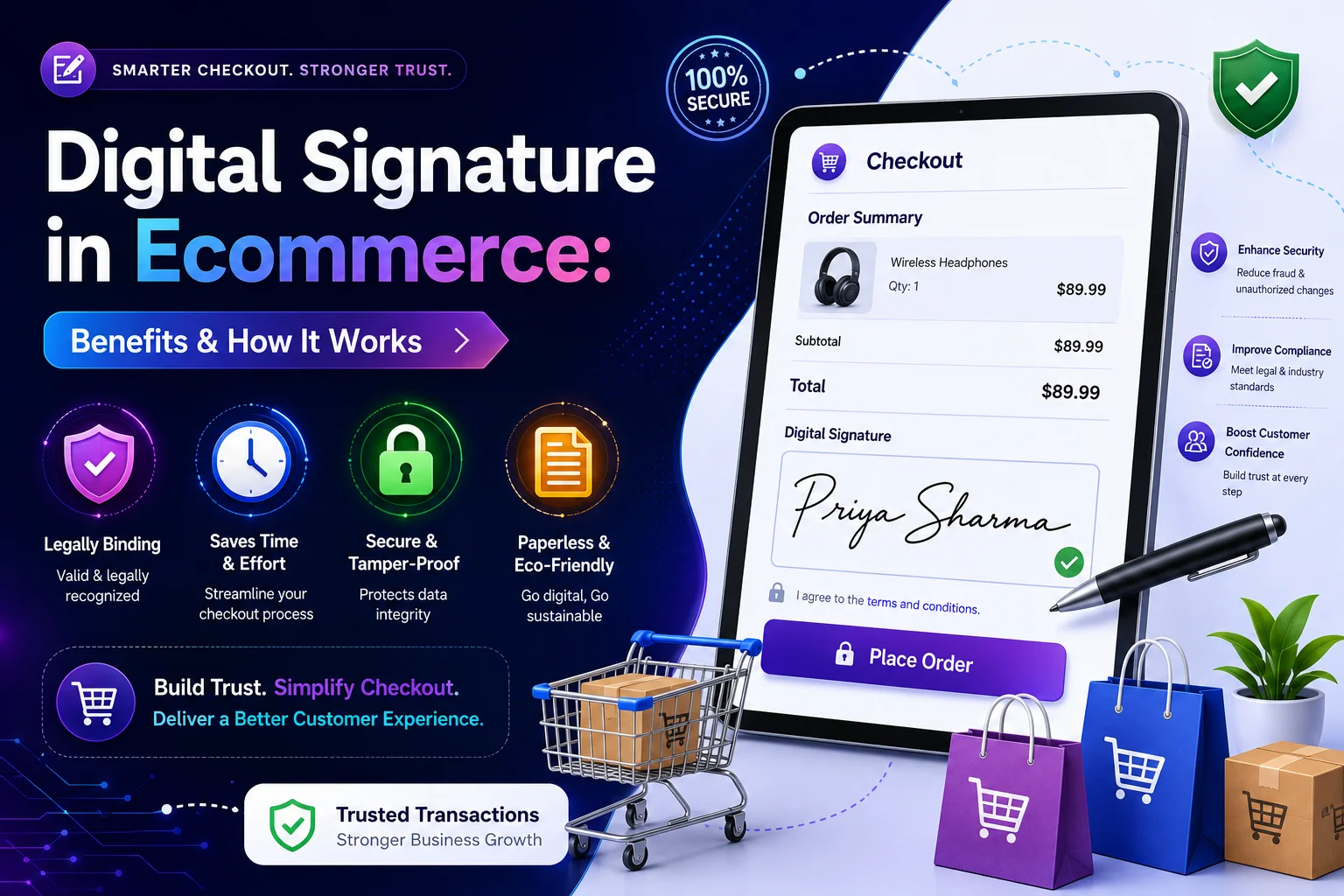
A digital signature in ecommerce is an electronic method of confirming that a customer has approved or signed specific information during an online transaction or business process.
For example, an ecommerce business may need a customer to approve a custom product design before production begins. Instead of exchanging documents by email, the business can provide an online signing process where the customer reviews the information and submits their signature.
The exact workflow depends on the business and the type of transaction, but the overall goal is simple: make customer approval easier to complete and manage digitally.
An ecommerce digital signature can be useful when a normal checkout process is not enough to capture the confirmation a business needs.
Common examples include:
- Custom product approvals
- Customer agreements
- Service contracts
- B2B orders
- Terms and conditions
- Quote approvals
- Special-order confirmations
- Customer consent forms
The key benefit is convenience. Customers can complete the approval process online without switching between different offline and online steps.
How Does a Digital Signature Work in Ecommerce?
A typical digital signature for an ecommerce workflow can be straightforward.
1. The customer receives the information
The customer first sees the document, order details, agreement, or form that requires approval.
2. The customer reviews the information
Before signing, the customer should have an opportunity to review the relevant terms, product details, or other information.
3. The customer provides a signature
The signing interface allows the customer to provide their signature electronically.
Depending on the solution, this could involve drawing a signature, entering information, or using another supported signing method.
4. The signature is submitted
After completing the required information, the customer submits the signed request.
5. The business processes the approval
The business can then use the submitted information to continue the order, production, service, or approval workflow.
For stores that want to add this functionality without developing the entire system themselves, a digital signature plugin can provide a practical way to integrate signing features into an existing website.
The right implementation depends on where the signature is needed. Some businesses may require it before an order is accepted, while others may need it during checkout, after a quote, or through a separate approval form.
If you’re specifically comparing these approaches for WooCommerce, our guide to Digital vs Electronic Signature can help explain the differences in more detail.
What Are the Benefits of Digital Signatures for Ecommerce?
Digital signatures can provide several practical benefits for ecommerce businesses.
Faster customer approvals
Traditional signing processes can require customers to download documents, print them, sign them, scan them, and send them back.
An online signing process removes many of these steps. Customers can complete the approval directly from their device.
Less paperwork
Businesses that handle agreements or approvals manually may need to manage physical documents or multiple email attachments.
Digital workflows reduce the need for paper-based processes and make information easier to organize electronically.
Better customer experience
Customers generally expect online processes to be convenient. Requiring them to leave an online workflow and complete paperwork elsewhere can create unnecessary friction.
A Digital Signature for Online Stores can help keep the approval process within the digital customer journey.
Easier approval management
When approvals are collected digitally, businesses can create a more organized workflow for handling customer requests and signed information.
Instead of searching through physical documents or email threads, teams can manage information through their website or connected systems.
Support for custom ecommerce workflows
Not every ecommerce transaction is a simple product → cart → payment journey.
Businesses selling customized products, services, or B2B solutions may need additional customer confirmation before completing an order.
Digital signatures can help support these more complex workflows.
Where Are Digital Signatures Used in Ecommerce?
The usefulness of digital signatures depends on the type of ecommerce business and what customers need to approve.
Here are some common use cases.
Custom product approvals
A business may create a customized product based on customer specifications.
Before production begins, the customer may need to approve the final design or specifications.
A digital signature can provide a convenient way to capture that approval online.
B2B ecommerce orders
Business-to-business transactions may involve agreements, purchase approvals, or other documentation that isn’t typically required for a standard consumer purchase.
Digital signing can help move these processes online.
Service agreements
Ecommerce businesses that sell services alongside products may need customers to accept specific terms before work begins.
An online signature can become part of that process.
Customer agreements
Some businesses require customers to confirm policies, terms, or other agreements.
Instead of handling this through separate documents, businesses can integrate approval into an online workflow.
Quote and order approvals
For high-value or customized orders, a customer may need to approve a quote before the business proceeds.
A signature can provide a clear confirmation step.
For WooCommerce stores, a WooCommerce signature plugin can be useful when signature collection needs to be integrated into a WordPress-based ecommerce workflow.
Digital Signature vs Electronic Signature: What’s the Difference?
The terms digital signature and electronic signature are often used interchangeably, but they can refer to different concepts.
An electronic signature is a broad term for electronic information or actions used to indicate agreement or approval.
A digital signature is a more specific type of electronic signing technology that can use cryptographic methods to help verify authenticity and document integrity.
In simple terms:
| Digital Signature | Electronic Signature |
| More specific signing technology | Broader category |
| Can use cryptographic verification | Can include different electronic signing methods |
| Focuses on authenticity and integrity | Focuses on electronic indication of agreement |
| Often used where stronger verification is needed | Common in many online approval workflows |
The right option depends on the type of transaction, the business requirements, and the level of verification needed.
If you’re specifically looking for a way to add digital signature functionality, start by identifying the exact point where customer approval is required.
How to Add a Digital Signature to WooCommerce
WooCommerce stores can add signature functionality when their purchasing or approval process requires customers to sign information.
The exact setup depends on where the signature needs to appear.
A typical implementation can include:
- Choosing a suitable signature solution.
- Installing and configuring the required functionality.
- Deciding where customers need to sign.
- Adding the signature field to the relevant workflow.
- Setting any required validation or customer information.
- Testing the process on desktop and mobile devices.
- Reviewing how submitted signature information is handled.
For some stores, the signature may be required on a product or custom-order form. For others, the signature may be needed directly during checkout.
If the signature is required before an order can be completed, Digital Signature WooCommerce checkout functionality can help connect the signing process with the purchasing journey.
The goal should not simply be to add a signature field. The entire workflow should remain easy for customers to understand and complete.
Keep the signing process simple
A good ecommerce signing experience should clearly explain:
- Why the customer needs to sign
- What they are agreeing to
- Where they need to sign
- What happens after submission
- Whether the signature is required before continuing
Clear instructions can reduce confusion and prevent customers from abandoning the process.
How to Add Digital Signature Functionality to WooCommerce
Once you’ve decided where customers need to sign, the next step is configuring the workflow.
A practical setup might involve adding the signature field to a relevant form, product page, or checkout process and then testing how the information is submitted.
If you’re specifically looking for a way to add digital signature woocommerce functionality, start by identifying the exact point where customer approval is required.
For example:
- Signature before checkout
- Signature during checkout
- Signature for a custom product
- Signature after an order
- Signature through a customer form
This distinction matters because the best setup for one ecommerce business may not be appropriate for another.
Before publishing the workflow, test it from the customer’s perspective. Make sure the signature field works correctly, required fields are clearly marked, and the customer understands what will happen after submitting the information.
Digital Signatures and Contact Form Workflows
Not every ecommerce signature process needs to happen directly at checkout.
Some businesses collect customer information through forms before an order is created. This can be useful for custom products, quotations, service requests, or approval-based workflows.
For example, a customer could complete a form with their contact information, product requirements, agreement details, and signature.
The business can then review the request before creating or processing the order.
This approach can be especially useful when an ecommerce transaction requires manual review.
Once the form is submitted, businesses also need a reliable way to manage the collected information. If your workflow uses Contact Form 7, understanding Contact Form 7 Submissions can help you organize and manage submitted customer data more effectively.
The important point is to choose the workflow based on what the customer needs to accomplish rather than adding a signature field simply because the technology is available.
How to Choose the Right Ecommerce Signature Solution
Before choosing a digital signing solution, consider how your customers will use it.
Where does the customer need to sign?
If the signature is required during checkout, look for a solution designed to work with the checkout experience.
If customers sign agreements or custom-order forms, a form-based workflow may be more suitable.
What information needs to be captured?
Consider whether you need only a signature or additional information such as:
- Customer name
- Email address
- Order information
- Agreement details
- Date and time
- Product specifications
How should the information be managed?
Think about what happens after the customer signs.
Your business may need to review, store, export, or use the submitted information as part of another workflow.
Is the experience easy for customers?
The best solution should make signing simple.
Customers shouldn’t have to navigate through unnecessary pages or complete complicated steps just to approve an order.
Conclusion
Digital signatures can make ecommerce approval workflows more convenient by bringing signing directly into the online customer journey.
They can help businesses handle custom orders, customer agreements, quotes, B2B transactions, service workflows, and other situations where approval is required.
For WooCommerce and WordPress businesses using form-based workflows, tools such as Product Dropdown for Contact Form can also help customers select the relevant product directly within a Contact Form 7 form.
The best approach is to start with the customer’s journey: identify when a signature is needed, what the customer needs to approve, and what your business needs to do after the signature is submitted.
This can make custom-order and product-specific approval workflows easier to organize without adding unnecessary steps to the customer experience.