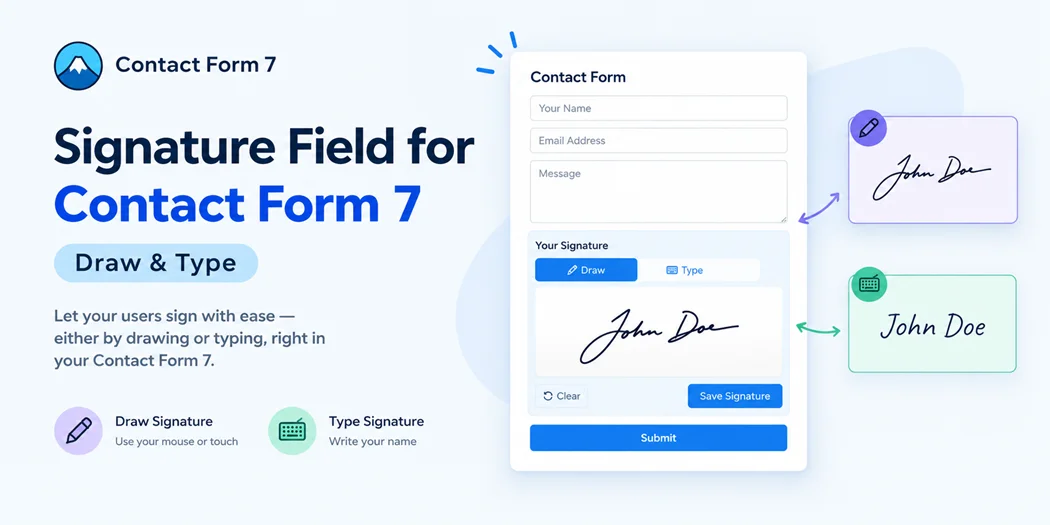
Collecting signatures through an online form shouldn’t require a complicated workflow or a separate document-signing platform. Signature Field for Contact Form 7 gives WordPress users a practical way to add an electronic signature field directly to Contact Form 7 forms.
Visitors can draw their signature with a mouse, finger, or stylus, or type a signature instead. You can also make the field required or optional, customize the signature area, and send the completed signature with Contact Form 7 email notifications.
Whether you’re a WordPress developer building a client website, an agency managing multiple projects, or a business collecting agreements and approvals, the plugin provides a flexible Contact Form 7 e-signature solution for adding signature functionality to existing forms.
What Is a Contact Form 7 Signature Field?
A Contact Form 7 signature field lets visitors provide a signature as part of submitting a form. Instead of asking users to download a document, sign it manually, scan it, and send it back, you can include the signing step directly in your website form.
With Signature Field for Contact Form 7, you can add a dedicated signature field through the Contact Form 7 tag generator. The plugin supports both optional and required signature fields, giving you control over whether a visitor must sign before submitting the form.
This can be useful for service agreements, consent forms, delivery confirmations, rental paperwork, event registrations, school forms, HR documents, and other workflows where a signature is part of the submission process.
If you’re new to this workflow, our guide on how to add a digital signature to Contact Form 7 can help you understand the implementation process before configuring your form.
Why Add a Signature Field to Contact Form 7?
Contact Form 7 is widely used for creating WordPress forms, but many businesses need more than basic text fields, dropdowns, and checkboxes. When a form requires a customer’s signature, adding a dedicated signature field can keep the entire interaction in one place.
Simplify the signing process
A signature field removes unnecessary steps from a traditional paper-based workflow. Visitors can complete the form and provide their signature from the same page instead of handling a separate document.
For businesses, this can make the process easier to manage. For customers, it creates a more straightforward experience.
Support different signing preferences
Not every visitor wants to draw a signature with a mouse or touchscreen. Some users may prefer to type their name instead.
The plugin supports both drawn and typed signatures, giving visitors more flexibility when completing a form.
Create required or optional signature fields
Some forms should not be submitted without a signature, while others may make signing optional.
You can use a required signature field when signing is necessary for your workflow or an optional field when visitors should be able to decide whether to provide one.
Keep the workflow inside WordPress
If your website already uses Contact Form 7, adding signature functionality directly to the form can reduce the need to move users between multiple systems.
This is particularly useful for developers and agencies that want to keep the form experience consistent with the rest of a WordPress website.
Key Features of the Contact Form 7 Signature Plugin
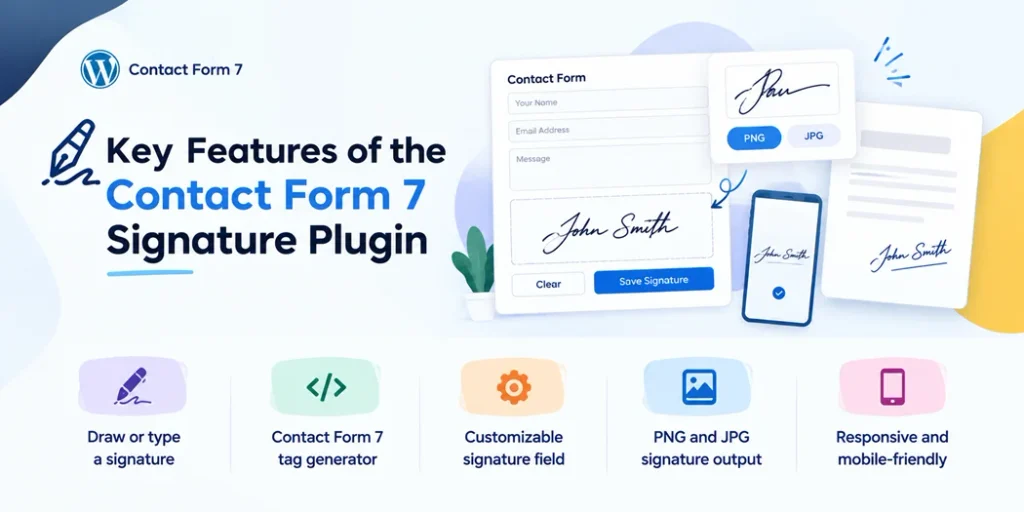
Signature Field for Contact Form 7 is a practical Contact Form 7 signature addon plugin designed to add useful signature functionality without adding unnecessary complexity to the form-building process.
Draw or type a signature
Visitors can draw signatures using a mouse, finger, or stylus. The plugin also supports typed signatures for users who prefer entering their name rather than drawing it manually.
Contact Form 7 tag generator
The plugin integrates with the Contact Form 7 tag-generation workflow, making it easier to create signature fields without manually building the field markup.
You can create optional or required signature fields according to your form requirements.
Customizable signature field
Different websites have different design requirements. You can customize elements of the signature area, including:
- Canvas width and height
- Pen color
- Pen thickness
- Background color
- Border style
- Sign-here guidance
- Watermark text
- Toolbar visibility
- Custom field settings
This gives developers and agencies more control over how the signature field fits into an existing website design.
For broader form-design techniques, you can also explore our guide to styling Contact Form 7.
PNG and JPG signature output
The plugin converts submitted signatures into Contact Form 7 signature images in PNG or JPG format. PNG is useful when transparency is needed, while JPG can offer a smaller file size for workflows where transparency isn’t required.
The resulting signature can be included with Contact Form 7 email notifications, making it easier to connect the signed form with your existing communication process.
Responsive and mobile-friendly
Customers increasingly complete forms from smartphones and tablets. A responsive signature field makes it possible for visitors to sign using a touchscreen rather than requiring a desktop computer.
This is especially useful for service businesses, delivery workflows, events, registrations, and other situations where users may complete forms from different devices.
Built for Developers, Agencies, and WordPress Site Owners
A signature plugin should not only work for the person filling out the form. It should also give developers enough control to integrate it into real WordPress projects.
Signature Field for Contact Form 7 provides several configuration options that can be useful when building websites for clients.
Site-wide defaults
You can configure default signature settings for your website instead of having to recreate the same configuration repeatedly.
Per-field overrides
Different forms may require different signature experiences. Per-field settings allow you to adjust individual signature fields when a specific form needs different behavior or styling.
Customization without unnecessary complexity
Developers can adjust signature-related settings without having to create a completely separate signature system from scratch.
The plugin also uses namespaced code and avoids creating unnecessary database tables, helping keep the implementation focused on its core purpose.
Useful for agency projects
For agencies, reusable configuration can be particularly helpful when building multiple forms for a client. A service agreement form, event waiver, delivery confirmation form, or registration form may each require a signature but have different presentation requirements.
Instead of creating a separate custom signing solution for every project, an existing Contact Form 7 signature addon can provide a consistent foundation.
Practical Use Cases
A signature field becomes especially useful when signing is naturally part of an existing form.
Service agreements
Freelancers, consultants, agencies, and service businesses can add a signature field to forms used for agreements or client approvals.
Consent and acknowledgment forms
Organizations can use a required signature field when a form needs a user’s acknowledgment before submission.
Delivery confirmations
A delivery or pickup form can include a signature field so a customer can sign directly from a phone or tablet.
Rental and lease-related forms
Rental businesses can collect signatures alongside customer details and other required information through a single online form.
NDA and acknowledgment forms
Businesses can include an electronic signature field alongside information and acknowledgment fields when collecting NDA-related or other business documentation.
Event registrations
Events, workshops, and activities that require signed waivers or acknowledgments can use a Contact Form 7 signature field as part of the registration workflow.
School and camp forms
Permission forms and similar registration documents can include signature functionality so parents or guardians can complete the process online.
HR and internal forms
Organizations can use signature fields for selected onboarding documents, policy acknowledgments, and other internal workflows.
The exact legal requirements for a signature depend on the document, jurisdiction, organization, and use case. A digital signature field should not automatically be presented as a guarantee of legal validity for every situation. Businesses with legal or regulatory requirements should verify the applicable rules for their specific workflow.
Manage Signatures Alongside Your Form Workflow
Collecting a signature is only one part of the process. Developers and site owners also need to consider what happens after a Contact Form 7 signature form is submitted.
Signature Field for Contact Form 7 can send signatures as image attachments through Contact Form 7 email notifications. The plugin also provides optional permanent Media Library storage and signature-management functionality, depending on the configuration you choose.
If you’re building a larger form workflow, understanding Contact Form submissions can help you decide how submitted information should be handled after visitors complete your forms.
For websites that need to retain submitted information inside WordPress, you can also learn more about how to save Contact Form 7 submissions.
This separation between form collection, email delivery, and optional storage gives developers more flexibility when designing a workflow for a client.
How the Signature Field Works
The basic workflow is straightforward:
- Install and activate Contact Form 7.
- Install and activate Signature Field for Contact Form 7.
- Open the Contact Form 7 form you want to edit.
- Use the signature tag generator to create a signature field.
- Choose whether the signature should be required or optional.
- Customize the signature field according to your design and workflow.
- Configure the Contact Form 7 email settings if you want the signature delivered with form notifications.
- Test the form on desktop and mobile devices.
- Submit a test entry and confirm that the signature is received correctly.
Testing the complete workflow is important before publishing a form for customers. Check the signature area on different screen sizes, verify that required validation works as expected, and confirm that the submitted signature reaches the intended email or storage workflow.
Why Choose a Contact Form 7 Signature Addon?
For websites already built around Contact Form 7, adding a dedicated signature addon can be more practical than replacing the existing form system.
You can continue using the Contact Form 7 workflow you already understand while adding a specialized signature field where it is needed.
This approach can be especially useful for agencies and developers working with existing client websites. Rather than rebuilding forms around a completely different platform, you can extend your existing Contact Form 7 setup with signature functionality using PO Digital Signature for Contact Form 7.
It lets you add customizable signature fields while keeping your existing Contact Form 7 workflow in place.
The result is a more focused workflow: collect the required information, capture the signature, submit the form, and process the result using the tools already available in WordPress.
What Makes This Plugin Different?
Signature Field for Contact Form 7 focuses specifically on adding signature functionality to Contact Form 7 rather than attempting to become a complete document-management platform.
That focused approach can be useful when your requirement is straightforward: add a signature field to an existing Contact Form 7 form and control how that field looks and behaves.
You get practical features such as:
- Draw or type signatures
- Required and optional signature fields
- Contact Form 7 tag generator support
- Responsive signature canvas
- Custom canvas dimensions
- Pen and background customization
- Sign-here and watermark text
- PNG and JPG output
- Email signature attachments
- Optional Media Library storage
- Optional audit-trail functionality
- Signature gallery
- Date-range filtering
- Bulk ZIP export
For developers, this provides the flexibility to build the signing experience around the client’s existing Contact Form 7 workflow rather than introducing unnecessary complexity.
Who Should Use a Contact Form 7 Signature Plugin?
This plugin is a good fit for:
- WordPress developers building custom client websites
- Agencies managing multiple WordPress projects
- Freelancers creating service and agreement forms
- Businesses using Contact Form 7 for customer workflows
- Organizations collecting consent or acknowledgment forms
- Rental and service businesses requiring signatures
- Event organizers collecting signed registrations
- Schools and organizations using online permission forms
If your website already uses Contact Form 7 and you need visitors to provide a signature as part of a form submission, a dedicated signature field can provide a practical extension to your existing setup.
Get Started With Contact Form 7 Signatures
Adding a signature to a WordPress form doesn’t have to mean replacing your existing form system or creating a custom signing application from scratch.
Signature Field for Contact Form 7 – Draw & Type gives developers, agencies, and site owners a focused way to add electronic signature functionality to Contact Form 7.
With drawing and typed signatures, required and optional fields, responsive signing, and flexible Contact Form 7 signature field customization, you can create a signing workflow that fits your website while supporting image output, email attachments, and optional storage.
Start with the requirements of your specific workflow, configure the signature field, test the experience on desktop and mobile devices, and then connect the completed form to your existing submission process.
If your project needs a straightforward way to collect signatures through Contact Form 7, this plugin provides the tools to build that experience directly within WordPress.