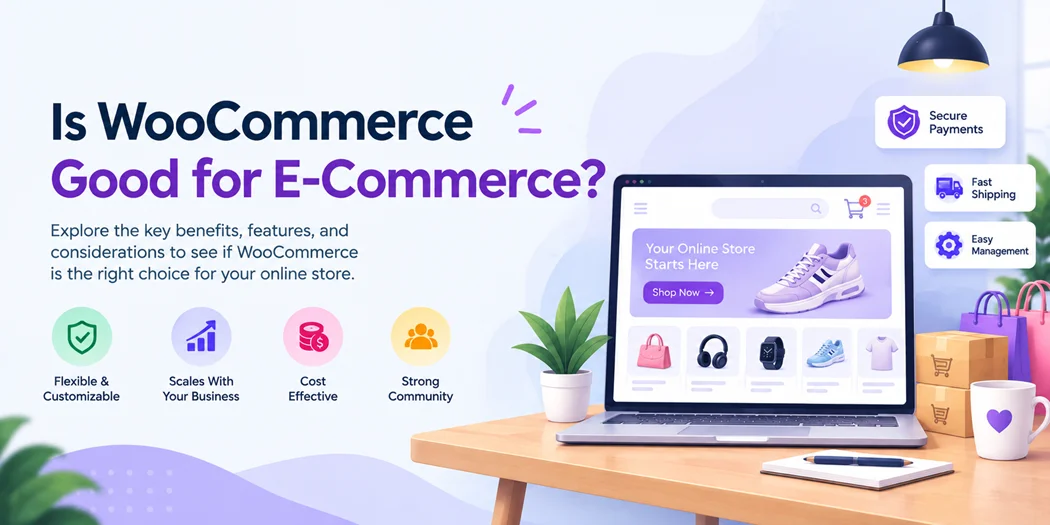
If you are planning to build an online store, you may be asking, is WooCommerce good for e-commerce? The answer depends on what you need from your store, including customization, budget, maintenance, product management, and future growth.
WooCommerce is an e-commerce solution built for WordPress. It lets businesses sell products online while giving them control over their store design, checkout, payments, shipping, and additional functionality.
For businesses that want flexibility and the ability to customize their store, WooCommerce can be a practical option. However, it also requires more management than some fully hosted e-commerce platforms.
WooCommerce Good for E-Commerce?
WooCommerce is a flexible e-commerce solution for businesses that want control over their online store. It can support product management, payments, shipping, orders, coupons, customer accounts, and many other store functions.
One of its biggest advantages is that you can expand the store as your requirements change. You can add plugins, extensions, themes, and custom functionality instead of being limited to the features included in the initial setup.
WooCommerce can therefore work for different types of businesses, from a small online shop to a growing e-commerce operation.
However, it is important to consider hosting, security, updates, performance, and plugin management before choosing it.
Why Use WooCommerce for an Online Store?
There are several reasons businesses choose WooCommerce when building an online store.
Flexible Store Customization
WooCommerce gives you control over important parts of your store, including product pages, cart pages, checkout, navigation, and customer experience.
You can change the design with themes and extend functionality with plugins or custom development.
This flexibility is useful when your store needs features that are not available in a basic e-commerce setup.
Works With WordPress
WooCommerce works within WordPress, so businesses can manage their website content and e-commerce functionality from the same environment.
If you already use WordPress for your business website, adding WooCommerce can be a natural way to introduce online selling.
You can combine product pages with blog posts, landing pages, guides, contact forms, and other content.
Supports Different Product Types
WooCommerce supports several product configurations, including:
- Simple products
- Variable products
- Virtual products
- Downloadable products
- Subscription-based products
- Products with different attributes and variations
This makes it suitable for businesses selling physical products, digital products, services, or a combination of different offerings.
Large Plugin and Extension Ecosystem
Most online stores eventually need more than basic product and checkout features.
You may need functionality for:
- Product filters
- Payment gateways
- Shipping
- Subscriptions
- Product customization
- Marketing
- Analytics
- Customer management
- Abandoned-cart recovery
WooCommerce can be extended with plugins and integrations, allowing you to add functionality when your business requires it.
Is WooCommerce Easy to Use?
WooCommerce can be easy to use for basic store management, but setting up and maintaining a complete store requires some technical understanding.
Once the store is configured, common tasks such as adding products, processing orders, creating coupons, and managing inventory can be straightforward.
The initial setup may require more decisions, including:
- Choosing hosting
- Installing WordPress
- Configuring WooCommerce
- Setting up payments
- Configuring shipping
- Managing taxes
- Selecting a theme
- Installing necessary plugins
- Setting up security and backups
For WordPress users, this process may feel familiar. Beginners can also start with a simple setup and add advanced features as they become necessary.
The trade-off is simple: more flexibility usually means more configuration and management.
What Are the Benefits of WooCommerce?
Understanding the main benefits can help you decide whether WooCommerce fits your store.
1. Extensive Customization
You can customize the appearance and functionality of your store according to your business requirements.
2. WordPress Integration
WooCommerce works with WordPress, allowing you to manage website content and e-commerce features in one environment.
3. Flexible Product Management
You can create different product types, variations, categories, attributes, prices, and inventory options.
4. Multiple Payment Options
WooCommerce can work with different payment gateways, allowing businesses to select payment methods suitable for their customers and location.
5. Wide Range of Extensions
You can add functionality through WooCommerce extensions and WordPress plugins rather than developing every feature from scratch.
6. Content Marketing Opportunities
Because WooCommerce works with WordPress, businesses can combine e-commerce with content marketing, SEO, educational resources, and landing pages.
What Are the Disadvantages of WooCommerce?
WooCommerce also has some considerations that store owners should understand before choosing it.
Hosting Is Your Responsibility
Unlike a fully hosted e-commerce platform, a WooCommerce store normally requires separate WordPress hosting.
Your hosting environment can affect your store’s speed, reliability, and ability to handle traffic.
More Maintenance
You may need to manage WordPress, WooCommerce, plugins, themes, backups, security, and updates.
Regular maintenance becomes particularly important as your store grows.
Plugin Compatibility
Adding too many plugins can make a website more difficult to manage.
Plugins may also have compatibility or performance considerations, so it is better to use only the functionality your store actually needs.
Performance Requires Attention
WooCommerce performance depends on several factors, including hosting, database configuration, theme quality, plugins, images, caching, and overall website optimization.
A well-configured store can perform effectively, but performance should be monitored as the store grows.
Is WooCommerce Good for Small Businesses?
WooCommerce can be a suitable option for small businesses that want control over their online store.
A small business can begin with a basic product catalog, standard payment methods, shipping options, and essential plugins.
As the business grows, additional features can be added.
For example, a store may eventually need advanced product filtering, customer accounts, subscriptions, marketing integrations, or customized checkout functionality.
The important question is not simply how many products you sell. Consider how much customization, control, and ongoing management your business needs.
If you are still planning your online business, understanding how to start ecommerce business can help you define your products, target audience, business model, marketing strategy, and store requirements before choosing a platform.
Is WooCommerce Good for Beginners?
WooCommerce can work for beginners, especially when starting with a simple store.
However, beginners should understand the difference between using WooCommerce and managing a complete WordPress e-commerce website.
Adding products and managing orders can be relatively simple once the store is configured.
More advanced tasks, such as:
- Custom checkout development
- Performance optimization
- Security configuration
- Advanced integrations
- Database optimization
- Complex shipping rules
may require technical knowledge or professional assistance.
A practical approach is to start with the features your business actually needs and avoid adding unnecessary complexity.
How Much Does WooCommerce Cost?
One of the most common questions is whether WooCommerce is free.
WooCommerce itself is available without a software license fee, but running an online store still involves other costs.
Your overall expenses may include:
- Domain registration
- Web hosting
- Premium themes
- Paid plugins
- Payment processing fees
- Development
- Security
- Backups
- Maintenance
Therefore, instead of asking only whether WooCommerce is free, consider the total cost of running your WooCommerce store.
A simple store may require fewer paid services, while a more advanced store may need premium extensions, better hosting, or professional development.
Can WooCommerce Help With Abandoned Cart Recovery?
Yes. Store owners can use an abandoned cart recovery plugin to reconnect with shoppers who add products to their carts but leave before completing checkout.
Customers abandon carts for many reasons, including:
- Unexpected shipping costs
- Complicated checkout processes
- Limited payment options
- Technical problems
- Comparison shopping
- Distractions
- Changes of mind
A recovery solution can send reminders to eligible shoppers and encourage them to return to the checkout process.
However, abandoned-cart recovery should not be the only solution.
A better checkout experience can also reduce abandonment. Make pricing clear, minimize unnecessary checkout fields, offer trusted payment options, and make sure your website works properly on mobile devices.
WooCommerce vs Shopify: What Should You Consider?
When comparing WooCommerce vs Shopify, consider how much control and technical management you want.
WooCommerce provides a WordPress-based environment with extensive customization options. Shopify provides a more managed e-commerce environment where much of the technical infrastructure is handled by the platform.
| Factor | WooCommerce | Shopify |
| Store environment | WordPress-based | Hosted platform |
| Customization | Extensive | Extensive within platform |
| Hosting | Managed separately | Included |
| Maintenance | More owner responsibility | More platform-managed |
| WordPress integration | Native | Separate |
| Extensions | Large ecosystem | Large ecosystem |
Neither platform has the same ideal setup for every business. Your decision should be based on your technical requirements, customization needs, budget, and preferred level of management.
For a deeper platform comparison, see our WooCommerce vs Shopify guide.
Is WooCommerce Good for Large E-Commerce Stores?
WooCommerce can support growing and larger stores, but scalability depends on the overall technical setup.
As a store grows, areas such as hosting, database performance, caching, image optimization, plugin quality, and code efficiency become increasingly important.
Large stores may also require integrations with:
- Inventory systems
- CRM platforms
- Accounting software
- Shipping services
- Marketing platforms
- Payment providers
- Customer support systems
WooCommerce can be extended to support these requirements, but the technical architecture should be planned carefully as the store becomes more complex.
Can WooCommerce Support a Customized Checkout?
Yes. WooCommerce provides opportunities to customize the checkout experience according to business requirements.
For example, an e-commerce business may need additional fields, customer consent, product-specific information, or a digital signature for ecommerce transactions.
Businesses that require customer authorization may also consider how digital signatures fit into their checkout process.
Similarly, businesses that collect inquiries or customer information through forms may need to manage Contact Form 7 submissions alongside their e-commerce workflow.
These examples highlight an important point: the value of WooCommerce is not only its basic shopping-cart functionality. Its extensibility allows businesses to build a store around their specific workflow.
Who Should Use WooCommerce?
WooCommerce may be worth considering if you:
- Already use WordPress
- Want extensive customization
- Need control over your store
- Sell different types of products
- Need multiple integrations
- Want to extend your store with plugins
- Expect your business requirements to change over time
You may want to consider other e-commerce platforms if your highest priority is having a fully managed environment with minimal website maintenance.
Is WooCommerce Worth It for E-Commerce?
Whether WooCommerce is worth using depends on what you expect from your online store.
If you want customization, WordPress integration, flexibility, and control, WooCommerce provides a strong foundation for building an e-commerce website.
If you prefer a more managed platform and want to minimize responsibilities related to hosting and website maintenance, you may want to compare WooCommerce with hosted alternatives.
Before making a decision, consider:
- How much customization does your store need?
- Do you already use WordPress?
- What products and payment methods will you offer?
- How much technical maintenance can you manage?
- What features will your store need as it grows?
The answers to these questions will help you determine whether WooCommerce matches your business requirements.
Conclusion
Yes, WooCommerce can be a good e-commerce solution for businesses that need flexibility and control over their online store.
It supports product management, payments, shipping, orders, extensions, and customized store experiences while working directly with WordPress. This flexibility can also help businesses address specific requirements, such as when an ecommerce business needs digital signature functionality for customer agreements or authorization.
Its main trade-off is that greater control comes with greater responsibility. Store owners need to consider hosting, security, updates, plugins, backups, and performance.
For businesses that are comfortable with WordPress and want an e-commerce platform that can adapt to changing requirements, WooCommerce is worth considering.