Digital signatures have changed how businesses and individuals approve, verify, and manage digital documents. Instead of printing a document, signing it by hand, scanning it, and sending it back, users can sign documents electronically with greater speed and convenience.
The advantages of digital signatures go beyond eliminating paperwork. They can improve document security, speed up approvals, reduce administrative costs, support remote work, and simplify digital workflows. Understanding the Types of Digital Signatures can also help businesses choose the right signing method for their needs.
What Are Digital Signatures?
A digital signature is a secure electronic method used to verify the identity of a signer and help confirm that a document has not been changed after it was signed. It uses cryptographic technology, digital certificates, and a pair of keys to create and validate the signature.
Unlike simply typing a name or drawing a signature on a screen, a digital signature provides additional verification and security. When a digitally signed document is validated, the recipient can check whether the signature is authentic and whether the document has been modified.
To understand the broader concept, see our guide on What is a digital signature.
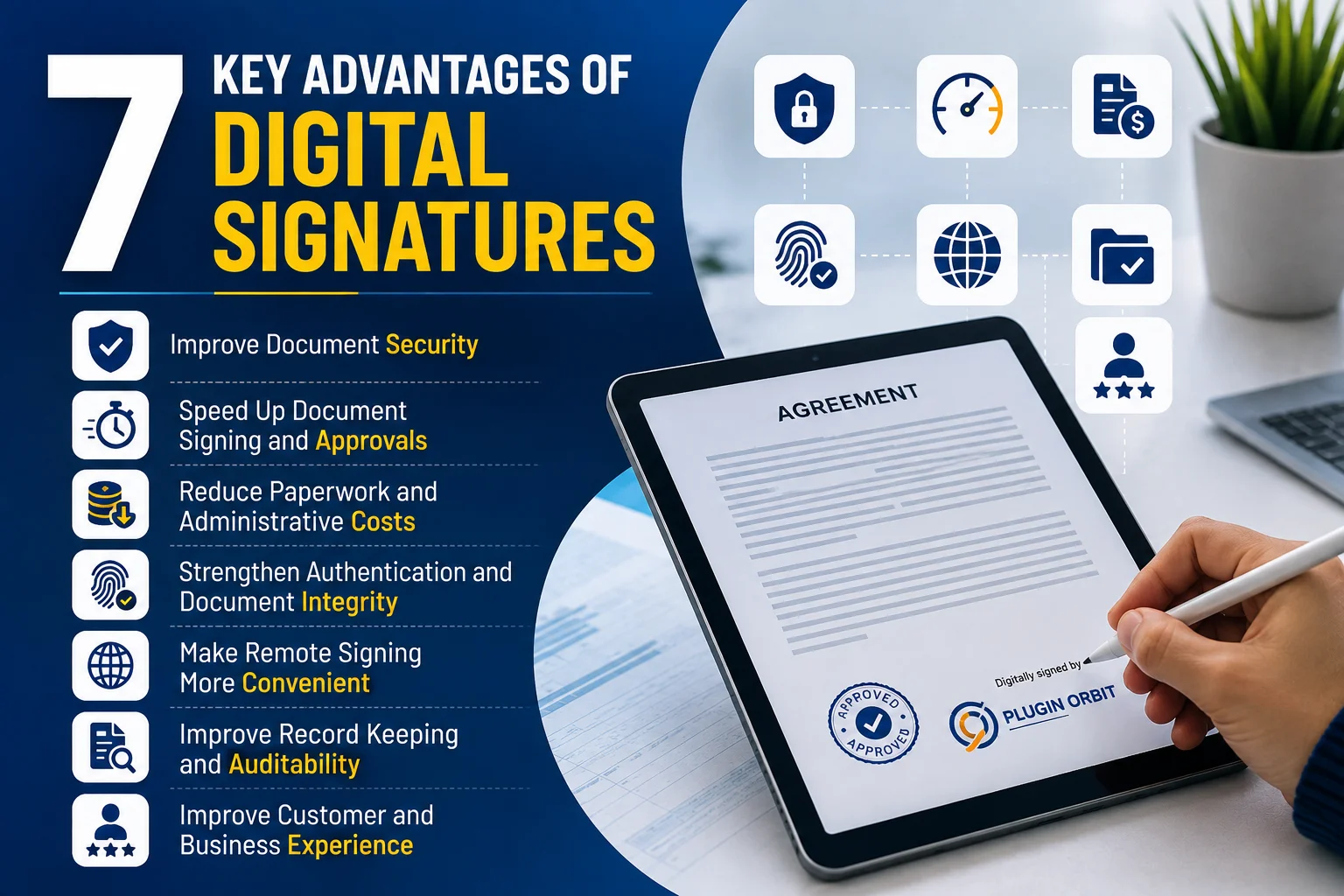
7 Key Advantages of Digital Signatures
1. Improve Document Security
One of the most important key advantages of digital signatures is improved document security. Digital signatures use cryptographic methods to help verify the signer and protect the integrity of the signed document.
When a document is digitally signed, the signature is linked to the document and the signer’s digital identity. If someone makes an unauthorized change after signing, the signature validation can indicate that the document has been altered. This is especially useful in eCommerce workflows where a Digital Signature for eCommerce Checkout can help verify customer agreements or approvals.
This is particularly useful for contracts, business agreements, financial documents, approval forms, and other documents where accuracy and authenticity matter.
Why it matters: Businesses can reduce the risk of unauthorized document changes and create greater confidence in digital transactions.
2. Speed Up Document Signing and Approvals
Traditional signing processes often involve printing, manually signing, scanning, emailing, or physically delivering documents. These steps can create unnecessary delays, especially when several people need to approve the same document.
Digital signatures simplify this process by allowing authorized users to sign documents electronically. Documents can move between participants without relying on physical delivery.
For example, a company can send an agreement to a customer, receive the signed document, and continue the approval process without waiting for paperwork to be mailed or scanned.
Why it matters: Faster signing can help businesses shorten approval cycles and keep important processes moving.
3. Reduce Paperwork and Administrative Costs
Another major benefit of digital signatures is the reduction of paper-based work. Businesses that regularly process documents may spend money on printing, scanning, postage, physical storage, and manual document handling.
Moving signing workflows online can reduce many of these administrative tasks. Digital documents can be stored electronically, shared through appropriate systems, and retrieved without searching through physical files.
The savings may be especially noticeable for organizations that process a high volume of contracts, forms, applications, or approvals.
Why it matters: Digital signing can support a more efficient, paperless workflow while reducing some of the costs associated with traditional document processing.
4. Strengthen Authentication and Document Integrity
Digital signatures can help establish who signed a document and whether the document remained unchanged after signing. This makes authentication and document integrity important parts of their value.
Authentication focuses on verifying the signer’s identity, while document integrity focuses on detecting changes made to the document after it was signed.
These capabilities are useful when multiple parties need confidence that a document came from the expected signer and that its contents have not been altered without detection.
For example, if a signed agreement is modified after signing, signature validation may show that the document’s integrity has been compromised.
Why it matters: Businesses can create a stronger level of trust around important digital documents and approval processes.
5. Make Remote Signing More Convenient
Remote work and online business operations have made location-independent document signing increasingly useful. Digital signatures allow users to complete signing workflows without being physically present in the same office.
A customer in one location, an employee working remotely, and a business partner in another region can participate in the same digital signing process.
This can be particularly helpful for businesses working with customers, suppliers, contractors, or distributed teams.
Why it matters: Remote signing removes many location-related barriers and makes document approval more convenient for different participants.
6. Improve Record Keeping and Auditability
Digital signing processes can make document management easier by creating electronic records associated with signing activity. Depending on the signing solution and workflow, organizations may be able to maintain information such as signer identity, signing time, document status, and other audit-related details.
This creates a clearer history of what happened during the signing process.
For businesses managing contracts or approvals, having organized digital records can make it easier to track completed documents and retrieve information when needed.
However, specific record-keeping and compliance requirements can vary by jurisdiction, industry, and document type, so organizations should evaluate the requirements that apply to their particular situation.
Why it matters: Better digital records can improve accountability, document tracking, and workflow visibility.
7. Improve Customer and Business Experience
A signing process should not create unnecessary friction for customers or employees. Requiring users to download a document, print it, sign it, scan it, and upload it again can make a simple process feel complicated.
Digital signatures can make signing more convenient by moving the process into a digital workflow. This can help businesses create smoother experiences for customers, employees, vendors, and other stakeholders.
For example, an online business may use digital signing for customer agreements or approvals as part of a broader digital workflow.
Why it matters: A simpler signing process can reduce friction and make business interactions more convenient.
Why Are Digital Signatures Important for Businesses?
The importance of digital signatures comes from their ability to combine security, efficiency, and convenience within digital document workflows.
Businesses can use them to support contracts, agreements, approvals, customer documentation, HR processes, and other situations where signed records are required.
The value is not simply replacing a handwritten signature. A well-designed digital signing workflow can help organizations:
- Protect document integrity
- Verify signers
- Reduce manual paperwork
- Speed up approvals
- Support remote collaboration
- Organize digital records
- Improve user convenience
For organizations that handle documents frequently, these improvements can contribute to a more streamlined business process.
Digital Signatures vs. Electronic Signatures
Digital signatures and electronic signatures are related but are not always the same thing.
An electronic signature is a broad concept that can include different electronic methods of indicating a person’s intent to sign. A digital signature is a more specific technology-based approach that uses cryptographic mechanisms to provide stronger verification of identity and document integrity.
The benefits of electronic signatures can include convenience, faster approvals, and reduced paperwork. Digital signatures add cryptographic verification that can provide additional security and integrity protections.
The right approach depends on the document, workflow, security requirements, applicable regulations, and the level of verification needed.
Where Are Digital Signatures Used?
Digital signatures can be useful across many digital workflows, including:
- Business contracts and agreements
- Customer approvals
- Employee and HR documents
- Financial documents
- Vendor agreements
- Legal and administrative paperwork
- Online business transactions
- eCommerce workflows
For checkout-specific applications, see Digital Signature for eCommerce Checkout.
For online stores, digital signing can also be integrated into specific customer and order processes. If you use WooCommerce, explore WooCommerce Digital Signature Plugins to understand how digital signing functionality can be added to store workflows.
Conclusion
The advantages of digital signatures extend beyond replacing handwritten signatures. They can help businesses improve document security, accelerate approvals, reduce paperwork, support remote signing, strengthen authentication, organize records, and create smoother digital experiences.
The most important point is that the value of a digital signature depends on how it is implemented. Businesses should consider their security requirements, document types, workflow needs, applicable regulations, and user experience before selecting a signing solution. For WooCommerce stores, WooCommerce Digital Signature Plugins can help integrate digital signing into relevant customer and order workflows.
When implemented appropriately, digital signatures can become an important part of a modern, secure, and efficient digital document workflow.