Collecting a customer signature during checkout can help online stores capture clear proof of consent, approval, or agreement before an order is placed. This can be particularly useful for custom products, contracts, high-value purchases, personalized orders, and other transactions where a customer needs to confirm specific terms.
Instead of asking customers to print, sign, scan, and email a document, businesses can follow a digital signature guide to collect signatures directly as part of the online checkout experience.
How to collect digital signatures at eCommerce checkout, when a signature makes sense, what information to save with an order, and how to create a simple signing experience without adding unnecessary friction.
What Is a Digital Signature at eCommerce Checkout?
A digital signature is a cryptographic mechanism used to verify the origin and integrity of signed data. According to the National Institute of Standards and Technology (NIST), digital signatures can provide origin authentication, data integrity, and signer non-repudiation.
In an eCommerce context, however, the phrase “digital signature” is often used more broadly for a customer signing electronically during the purchasing process.
For example, a store may ask a customer to sign before placing an order to confirm:
- Agreement to custom-order terms
- Approval of a design or proof
- Acceptance of specific conditions
- Authorization for a personalized product
- Confirmation of an order agreement
- Consent to terms presented during checkout
The important point is that the signature should be connected to the relevant transaction and retained with appropriate order information.
Why Collect Digital Signatures Online?
Traditional paper-based signing creates additional steps for both customers and store administrators. Customers may need to download a document, print it, sign it, scan it, and send it back before an order can be processed.
With online signature collection, the signing process can become part of the purchasing workflow.
Here are some common reasons businesses collect signatures online.
1. Confirm Customer Agreement
A signature can provide an additional record that a customer agreed to specific terms or information associated with an order.
For example, a custom furniture store might ask customers to confirm dimensions and customization details before production begins.
2. Handle Custom Orders
Custom products often require customer approval before production. A signature field can be used to capture confirmation that the customer has reviewed the relevant information.
3. Reduce Manual Paperwork
Digital workflows eliminate the need to exchange physical documents for many common approval processes. Customers can complete the required action during checkout instead of handling paperwork separately.
4. Create a Better Order Record
When the signature is properly associated with an order, the business can keep the relevant information together rather than searching through emails or paper documents later.
5. Improve the Checkout Workflow
For customers who are already completing a purchase online, adding the required signing step to checkout can be more convenient than sending them to a separate process.
How to Collect Digital Signatures at eCommerce Checkout
The exact implementation depends on your eCommerce platform and the type of signature you need. However, the overall process can follow a simple workflow.
Step 1: Decide Why You Need a Signature
Before adding a signature field, define exactly what the customer needs to approve.
Ask:
- What is the customer signing?
- Is the signature mandatory?
- Does the signature apply to every order or only certain products?
- What information should be stored with the signature?
- Who needs access to the signed information?
For example, a store selling personalized products may only require a signature when a customer orders a customized item.
This approach is better than requiring every customer to sign unnecessarily because additional checkout fields can create friction.
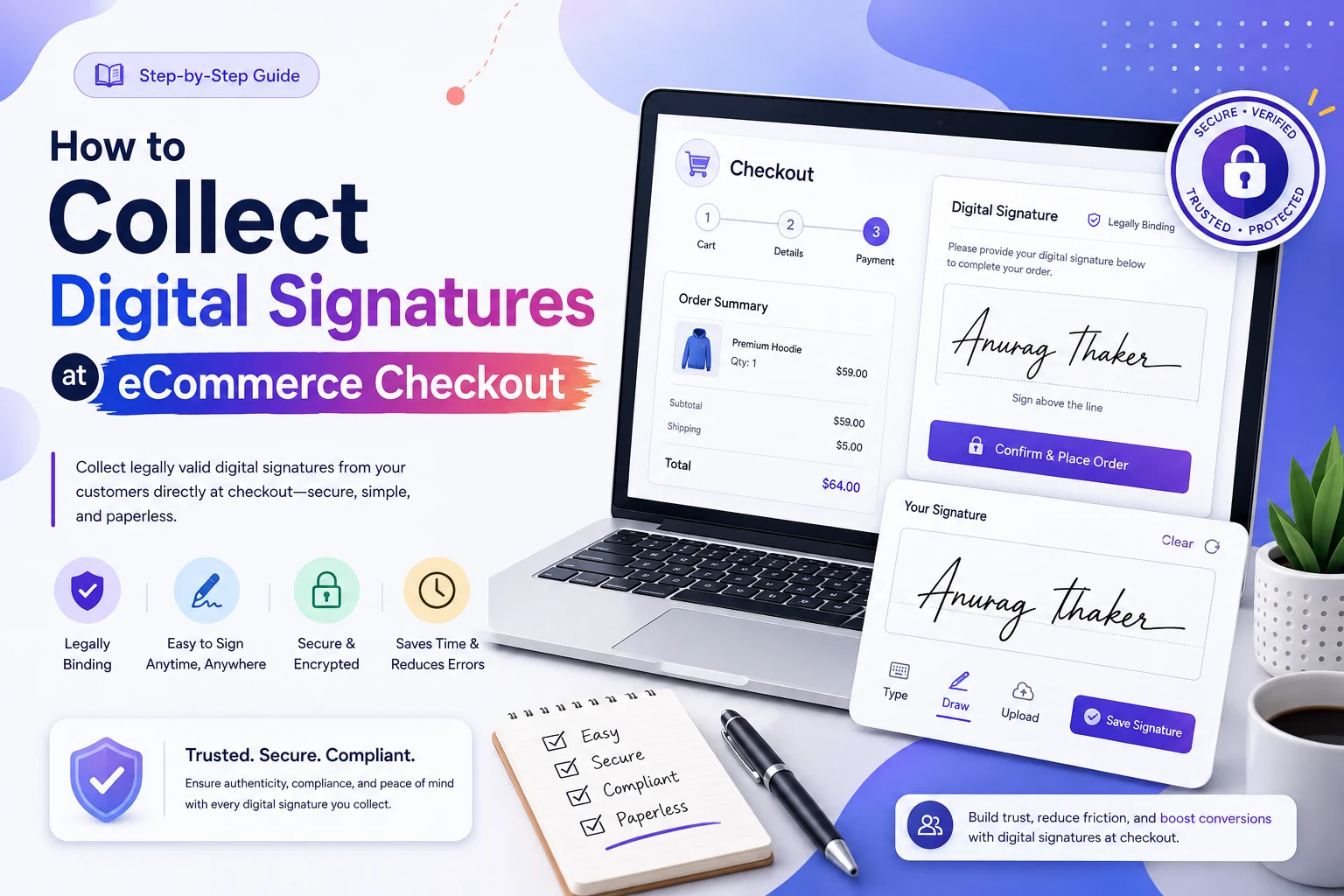
Step 2: Add the Signature Field to Checkout
The next step is to provide a way for customers to sign electronically.
Depending on the platform or solution you use, the checkout may include a signature box where customers can draw their signature using a mouse, touchscreen, or compatible input device.
The field should be clearly labeled so customers understand what they are signing.
For example:
Customer Signature
“Please sign below to confirm that you have reviewed and approved your order details.”
Keep the instruction short and specific.
If you want to learn more about the technical implementation, link this section to your existing Add Digital Signature guide.
Step 3: Explain What the Customer Is Agreeing To
Don’t place a signature field on the checkout page without context.
Customers should understand what the signature represents.
For example, you might explain that the signature confirms approval of a custom design, acceptance of an agreement, or confirmation of order information.
This is especially important when the signature is intended to document consent.
Step 4: Make the Signature Required When Necessary
If the signature is essential to completing a particular transaction, configure the checkout process so the customer cannot place the order without completing the required field.
However, don’t make the field mandatory for every order unless there is a genuine business reason.
A better experience is to show the signature requirement only when it applies.
For example:
- Standard products → No signature
- Custom products → Signature required
- High-value orders → Signature required
- Contract-based services → Signature required
This keeps the checkout experience more relevant to each customer.
Step 5: Connect the Signature to the Order
The signature should not simply disappear after the customer clicks “Place Order.”
Store the relevant signature information with the order or within the appropriate signing system so authorized administrators can retrieve it when needed.
The exact information retained may include:
- Customer name
- Order number
- Date and time
- Signed content or agreement
- Signature data
- Relevant product or order details
- Other available audit information
The goal is to create a clear connection between the customer, the transaction, and what was signed.
Step 6: Test the Checkout Experience
Before making the feature available to customers, test the complete process.
Check the experience on:
- Desktop computers
- Smartphones
- Tablets
- Touchscreens
- Different browsers
Make sure customers can easily sign, clear and redraw a signature if necessary, and complete checkout without confusion.
Mobile testing is particularly important because many online shoppers complete purchases on smartphones.
How Digital Signatures Can Be Used in eCommerce
There isn’t one universal reason to collect a signature. The best implementation depends on your business model.
Custom and Personalized Products
A customer could sign to approve a customized product specification, design, engraving, or other personalization before production.
High-Value Orders
Businesses selling expensive products or services may want an additional confirmation step before fulfilling an order.
Customer Agreements
Some businesses may need customers to acknowledge specific agreements associated with a transaction.
Proof or Design Approval
A customer could sign to confirm that they have reviewed and approved a proof before the business begins production.
Special Order Conditions
A signature can also be useful when an order has conditions that don’t apply to standard purchases.
The key is to use the signature where it adds meaningful confirmation rather than treating it as a generic checkout requirement.
Digital Signature vs. Electronic Signature at Checkout
The terms “digital signature” and “electronic signature” are often used interchangeably, but they are not technically identical.
An electronic signature is a broader concept involving an electronic indication of a person’s approval or intent. NIST describes an electronic signature as a method of signing an electronic message that identifies and authenticates a person and indicates their approval of the information.
A digital signature is more specifically associated with cryptographic techniques that can verify authenticity and data integrity.
For an eCommerce business, the distinction matters because the appropriate signing method depends on what you’re trying to accomplish and the legal or compliance requirements applicable to the transaction.
For a detailed comparison, see our Digital vs Electronic Signature guide.
Is a Digital Signature Legally Binding for Online Orders?
The legal effect of an electronic or digital signature depends on the jurisdiction, transaction, type of signature, and applicable requirements.
For example, under the EU’s eIDAS framework, an electronic signature cannot be denied legal effect or admissibility as evidence solely because it is electronic. Qualified electronic signatures have a specific legal status and are given the equivalent legal effect of handwritten signatures across EU Member States.
That does not mean every signature collected at an eCommerce checkout automatically has the same legal status everywhere.
Businesses should consider the laws applicable to their customers, industry, and transaction type when determining what signing method and evidence they need.
If the signature is being used for a legally significant agreement, consult an appropriate legal professional rather than relying on the presence of a signature field alone.
Best Practices for Online Signature Collection
A good checkout signature process should be easy for customers while still capturing useful transaction information.
Keep the Signing Step Simple
Don’t ask customers to complete unnecessary fields. Only request information that supports the transaction.
Explain the Purpose
Tell customers why they need to sign and what their signature confirms.
Make It Mobile-Friendly
The signature area should work comfortably on touchscreens. A customer should not have to zoom excessively or struggle to draw a signature.
Don’t Hide Important Information
If the signature relates to terms, agreements, or approvals, make the relevant information accessible before the customer signs.
Protect Customer Data
Signature information should be handled securely and only made available to authorized users.
Keep an Audit Trail Where Appropriate
Depending on your implementation, retaining information such as the order reference, timestamp, signed content, and relevant transaction details can make the record more useful later.
Test Before Launch
Always test the complete signing and ordering process before deploying it to customers.
How to Add Digital Signature to WooCommerce Checkout
If your store runs on WooCommerce, a signature field can be incorporated into the checkout process using an appropriate WooCommerce digital signature solution.
A typical workflow looks like this:
Customer adds product → Customer reaches checkout → Signature field appears → Customer signs → Signature is validated → Order is placed → Signature is associated with the order
For a detailed implementation walkthrough, see our Digital Signature Checkout guide.
If your goal is specifically to add signing functionality to WooCommerce, you can also link to WooCommerce Digital Signature as the more implementation-focused resource.
This creates a useful content relationship: this article explains why and how businesses collect signatures at checkout, while the WooCommerce-specific article explains how to implement the functionality.
What Information Should You Keep With a Signed Order?
The exact information depends on your system and requirements, but a useful signed-order record may include:
| Information | Purpose |
| Order number | Connects the signature to the transaction |
| Customer name | Identifies the customer |
| Date and time | Records when the action occurred |
| Signed agreement or text | Shows what the customer approved |
| Signature | Records the customer’s signing action |
| Product/order details | Provides transaction context |
Avoid collecting or retaining unnecessary personal information. Your data retention and security practices should align with applicable privacy requirements.
Conclusion
Collecting digital signatures at eCommerce checkout can turn a separate approval process into a more convenient part of the online purchasing journey.
The most effective approach is not simply to add a signature field. For digital signature ecommerce, first determine why the signature is needed, explain what customers are agreeing to, make the signing experience easy on desktop and mobile, connect the signature to the correct order, and securely retain the relevant transaction information.
For WooCommerce stores, the process can be integrated directly into checkout so customers can review the required information, sign, and complete their order in one workflow.
If you’re planning to introduce signatures to your store, start with the simplest workflow that meets your business requirements-and make the experience clear for the customer from the moment the signature request appears.