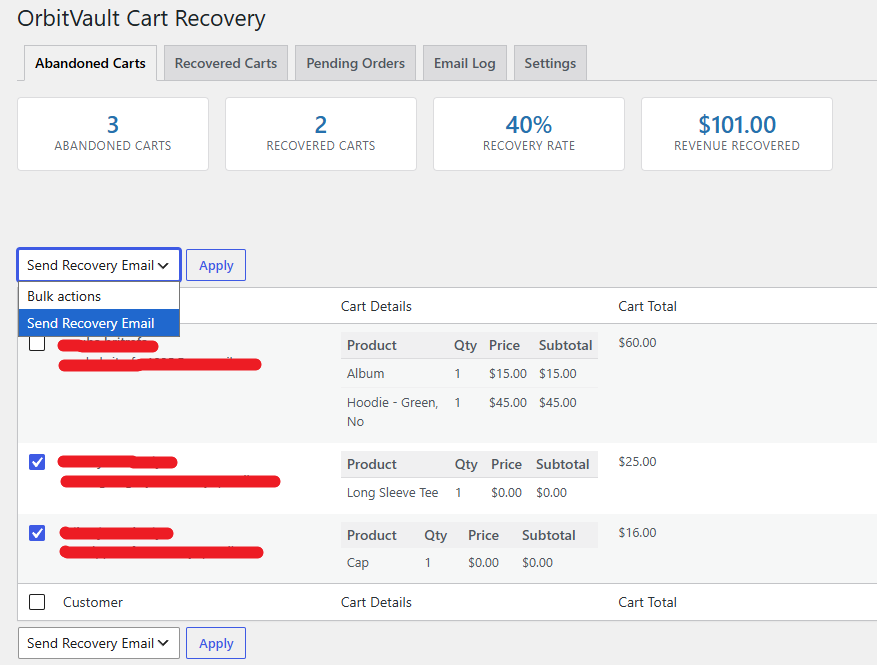
This is the main tab and your default view when you open WooCommerce > Cart Recovery.
Stats Widget
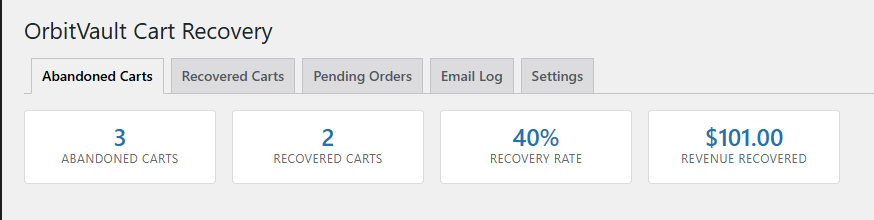
At the top you’ll see four numbers at a glance:
- Abandoned Carts — total carts currently unrecovered
- Recovered Carts — total carts that converted into orders
- Recovery Rate — percentage of abandoned carts that were recovered
- Revenue Recovered — total order value from recovered carts
The Cart List
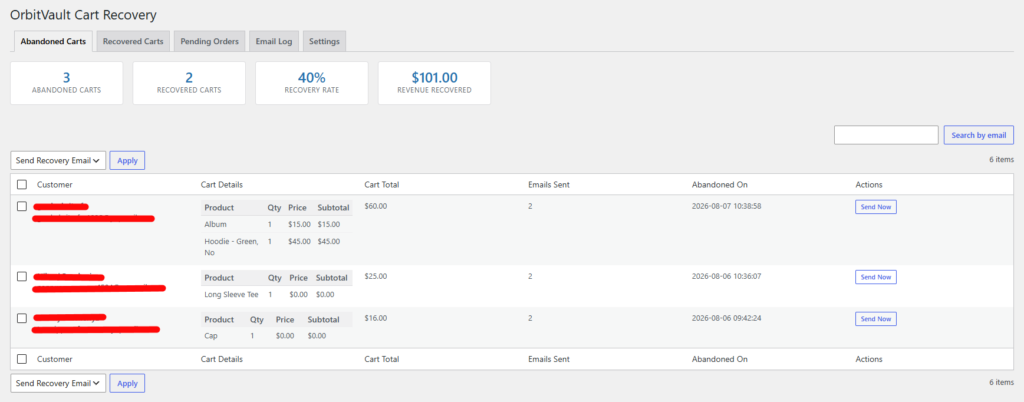
Each row shows:
| Column | What it shows |
|---|---|
| Customer | Name (if available) and email address |
| Cart Details | Every product in the cart, including variation (e.g. size/color), quantity, price, and line subtotal |
| Cart Total | The full cart value |
| Emails Sent | How many recovery emails have gone out for this cart so far |
| Abandoned On | Date/time the cart was left |
| Actions | A “Send Now” button to manually trigger a recovery email |
Searching
Use the search box above the table to find a cart by customer email.
Sending Emails in Bulk
- Check the box next to one or more carts (or use the “select all” checkbox in the header).
- Choose Send Recovery Email from the bulk actions dropdown.
- Click Apply.