4.1 – Variable Products (Size/Color Variations)
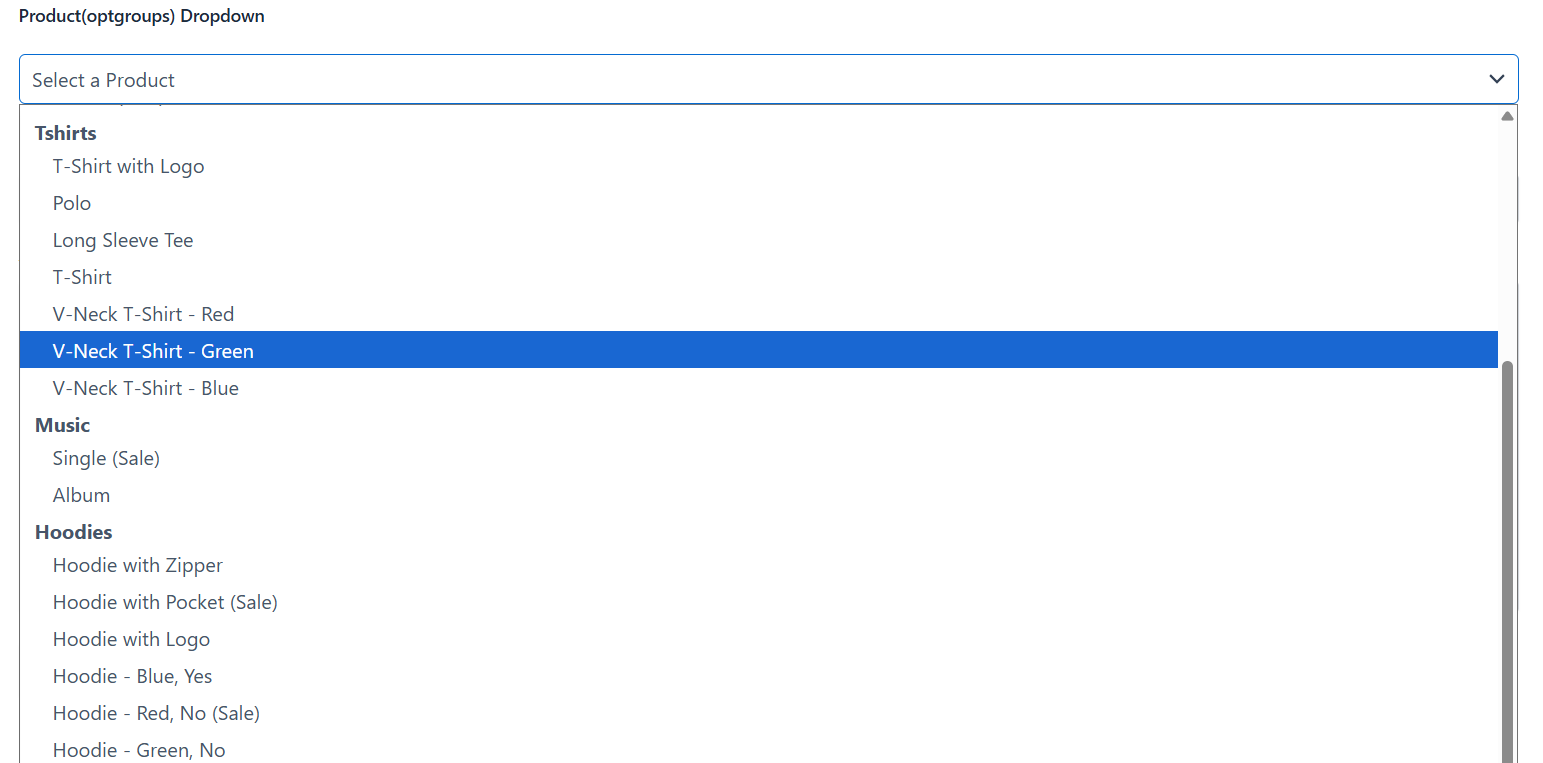
If a product has variations (for example, a T-Shirt available in different sizes and colors), the plugin automatically lists every purchasable variation as its own selectable option for example “T-Shirt – Red, Medium” and “T-Shirt – Blue, Large” as two separate choices, each with its own price, image, and stock status. You don’t need to configure anything extra for this – it happens automatically for any variable product that matches your filters.
4.2 – Quantity Field & Auto Total Price Calculator
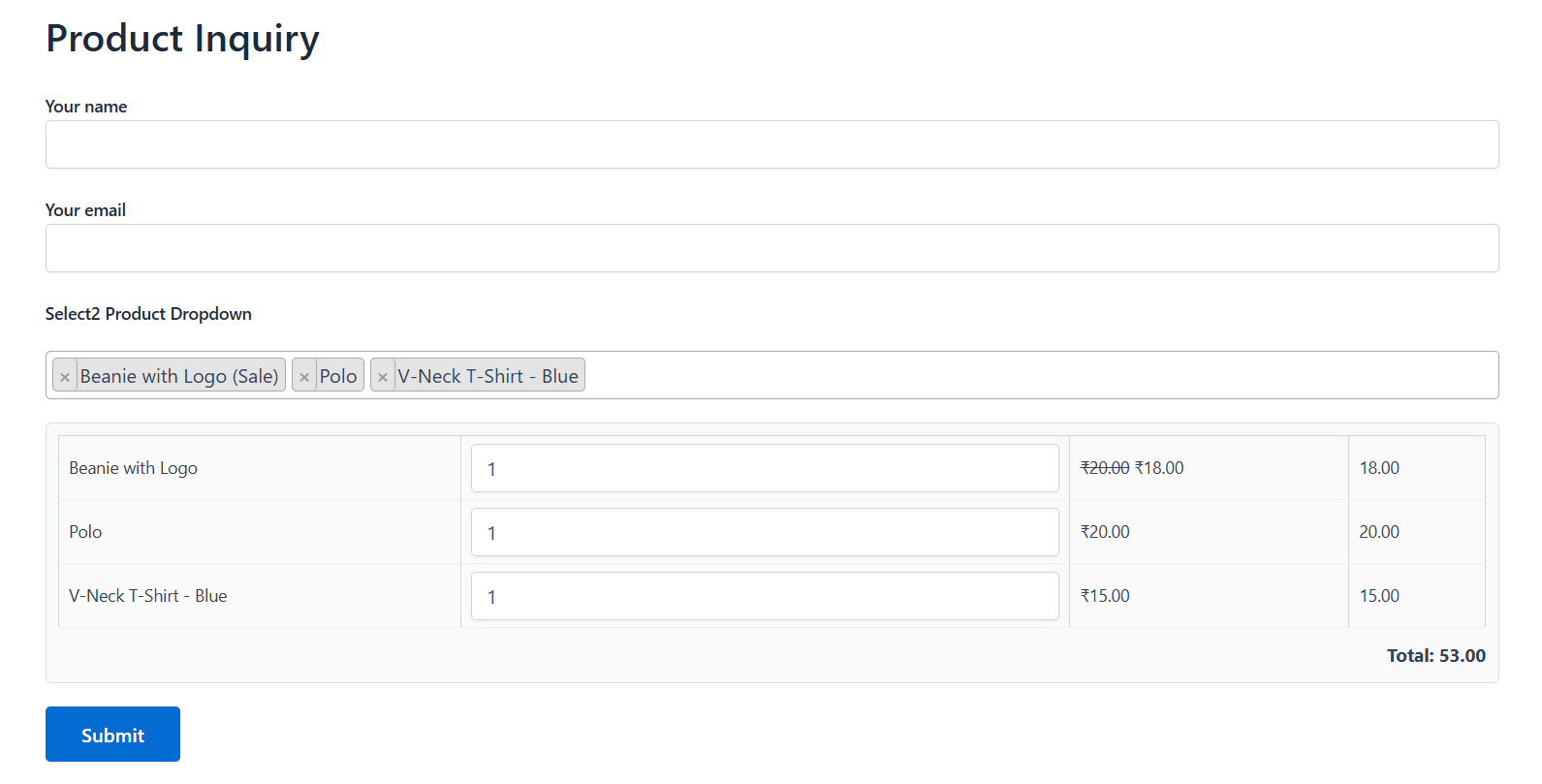
Tick Show quantity field + auto-calculate total price to add a quantity box for each selected product, along with a running Grand Total that updates automatically as the visitor changes quantities or adds/removes products. This turns the field into a lightweight order form.
4.3 – Understanding the Generated Tag (For Advanced Users)
Every option you configure in the tag generator popup becomes part of the Contact Form 7 tag automatically, you do not need to edit this by hand. For reference, a fully configured tag looks like this:
[product_dropdown product-dropdown-62 id:product-dropdown category:Music|Clothing min_price:10 max_price:200 stock_status:instock|outofstock layout_style:select2 ajax_search multiple show_price show_sale_badge show_stock_qty show_quantity placeholder_text:Choose_your_products]A few notes if you ever inspect or copy a tag manually:
- When more than one value is ticked within the same filter (e.g. two categories), they are joined with a pipe character
|, not a comma. - Spaces inside custom text (like placeholder text) are stored as underscores
_internally and converted back to normal spaces automatically on the frontend. - Toggles like
multiple,ajax_search,show_price,show_sale_badge,show_stock_qty,group_by_category, andshow_quantitysimply need to be present in the tag to be “on” they don’t take a value.


