3.1 – Dropdown vs Select2 Layout
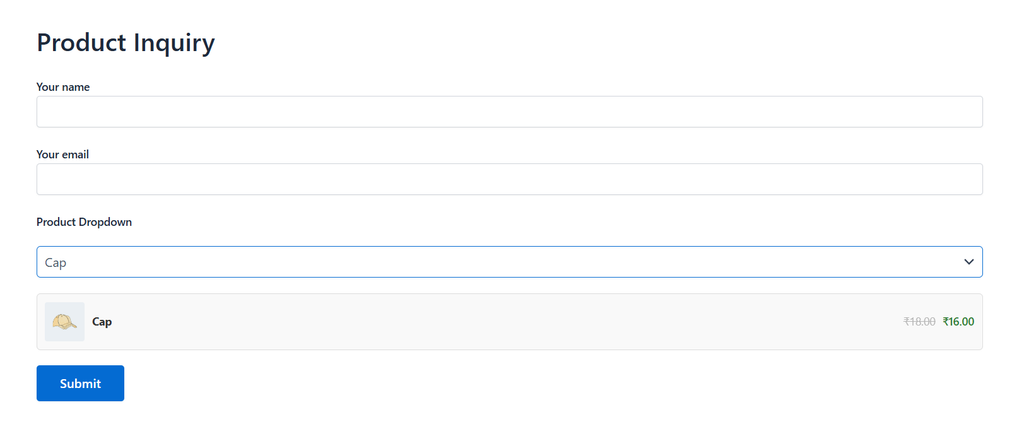
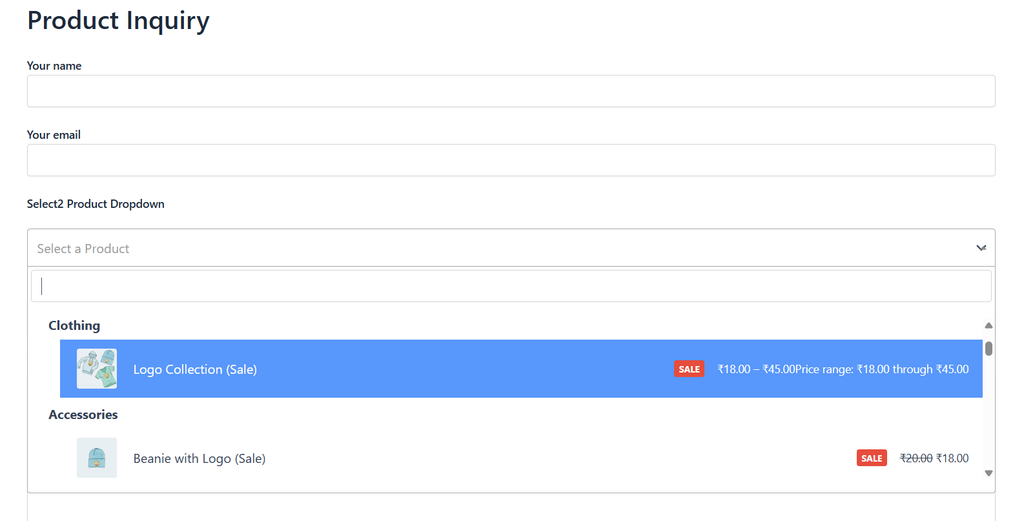
Choose between two layout styles:
- Dropdown — a classic, simple
<select>field. Lightweight and works everywhere. - Select2 — a searchable, styled dropdown with support for product images and richer formatting.
3.2 – Enabling Multi-Select Products
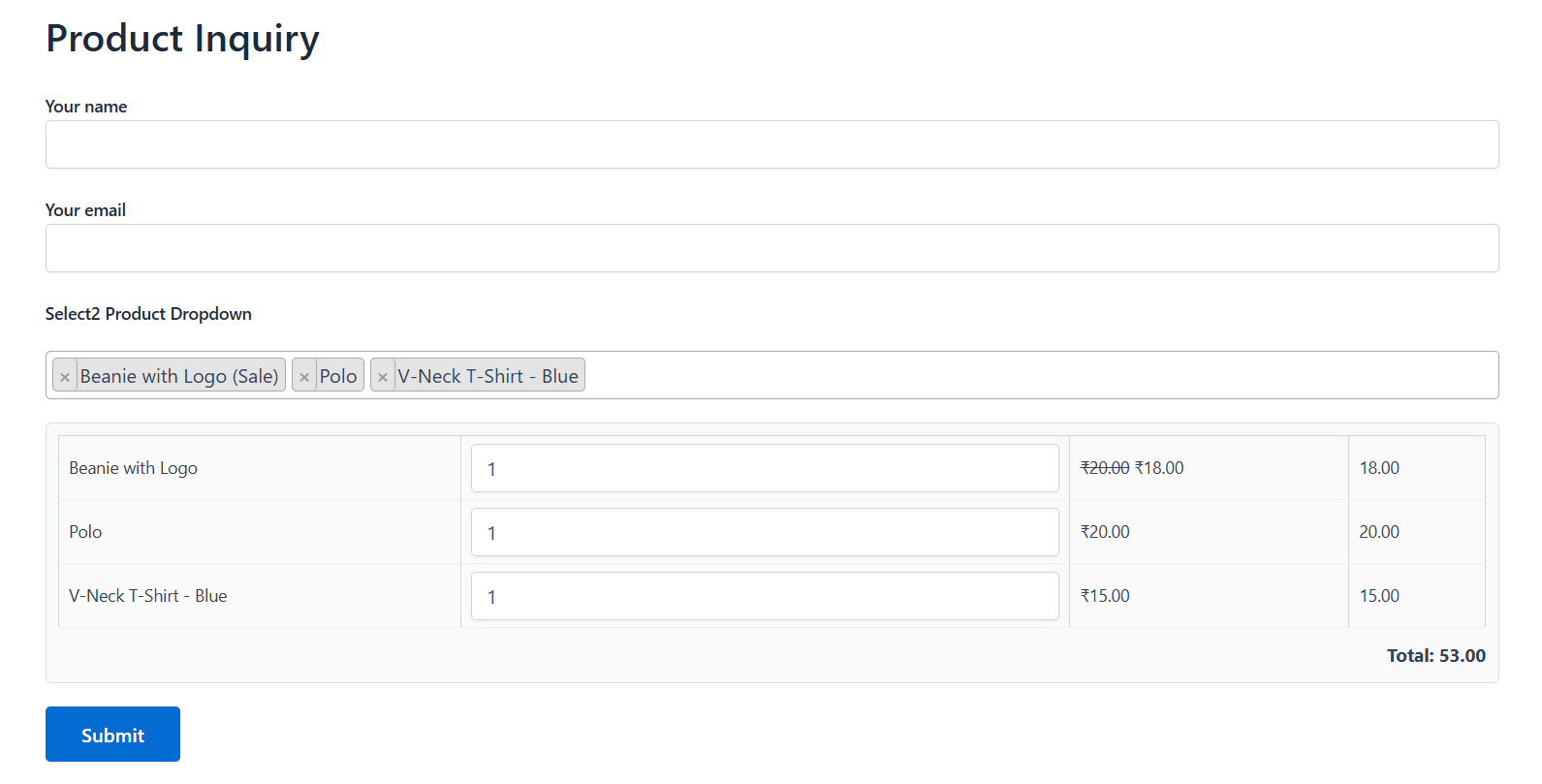
Tick Allow selecting multiple products under Selection Mode to let a visitor choose more than one product in the same field. Works with both Dropdown and Select2 layouts.
3.3 – AJAX Live Search (For Large Catalogs)
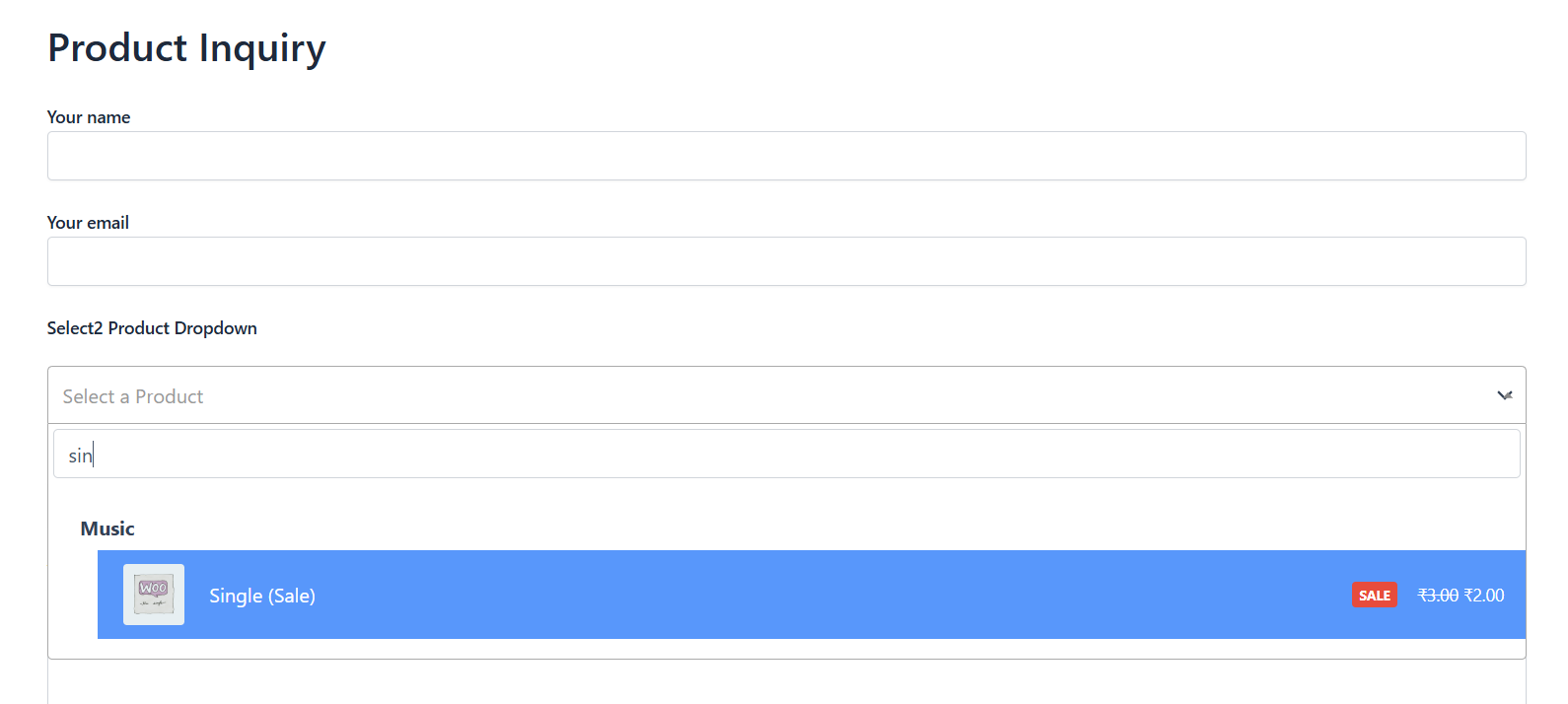
If your store has a large number of products, preloading every product into the dropdown can slow the page down. Enable Load products via live AJAX search (only available with the Select2 layout) so products are fetched from your store as the visitor types, instead of all at once.
Note: AJAX search is only available for the Select2 layout, not the plain Dropdown layout.
3.4 – Custom Placeholder Text
By default the field shows “Select a Product” before anything is chosen. Type your own text into the Placeholder text field in the tag generator to change this for example “Choose your product” or “Pick an item to order”.
3.5 – Sort Order Options
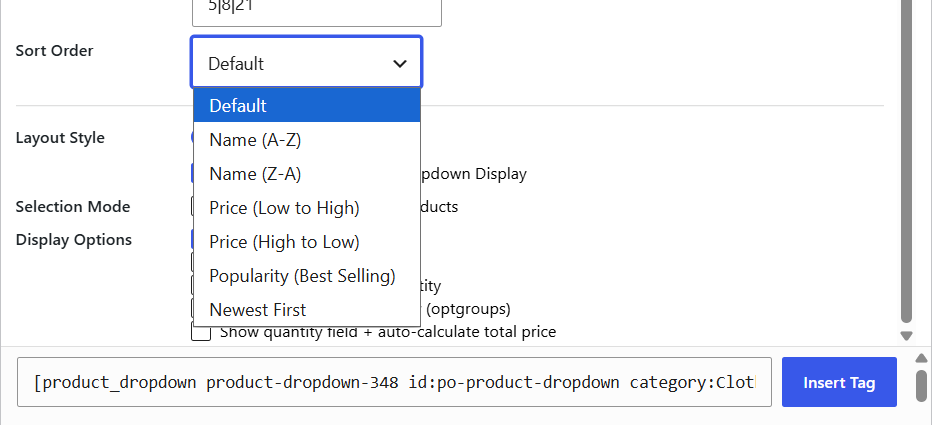
Choose how products are ordered in the dropdown from the Sort Order dropdown: Name (A-Z or Z-A), Price (Low to High or High to Low), Popularity (best-selling first), or Newest First. Leave it on “Default” for no specific order.
3.6 – Grouping Products by Category
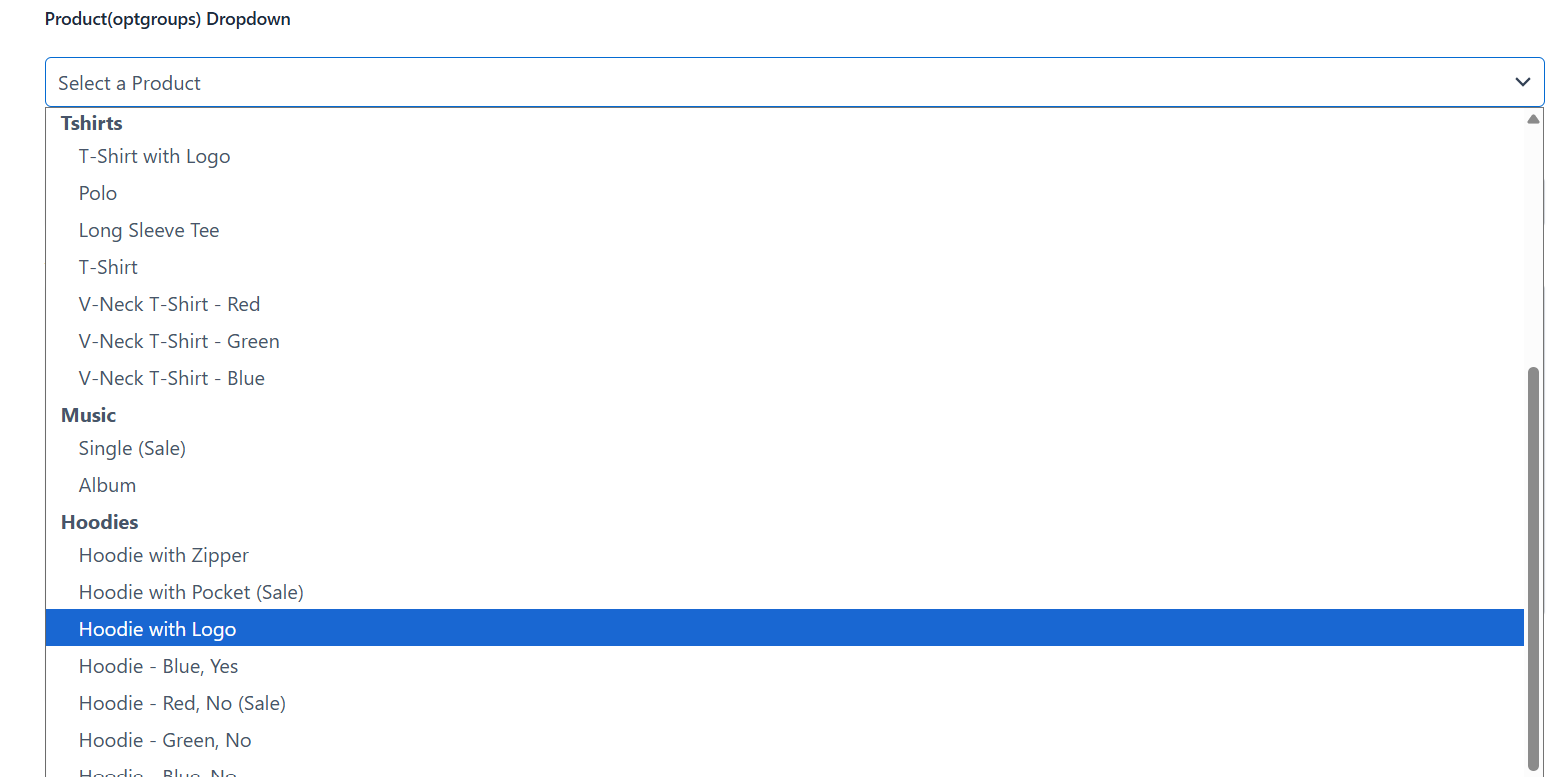
Tick Group products by category (optgroups) to organize a long list of products under category headings inside the dropdown, making it easier for visitors to scan.
Note: This option is disabled automatically when AJAX search is turned on, since AJAX results are loaded in pages rather than all at once.
3.7 – Sale Badge & Stock Quantity Display
- Tick Show “On Sale” badge to display a small “Sale” tag next to any discounted product, along with a proper strikethrough old price and highlighted new price.
- Tick Show remaining stock quantity to display how many units are left, e.g. “5 in stock”, next to each product.


