Make the pad match your brand, and a quick reference for every available option.
2.1 Customizing the Signature Pad
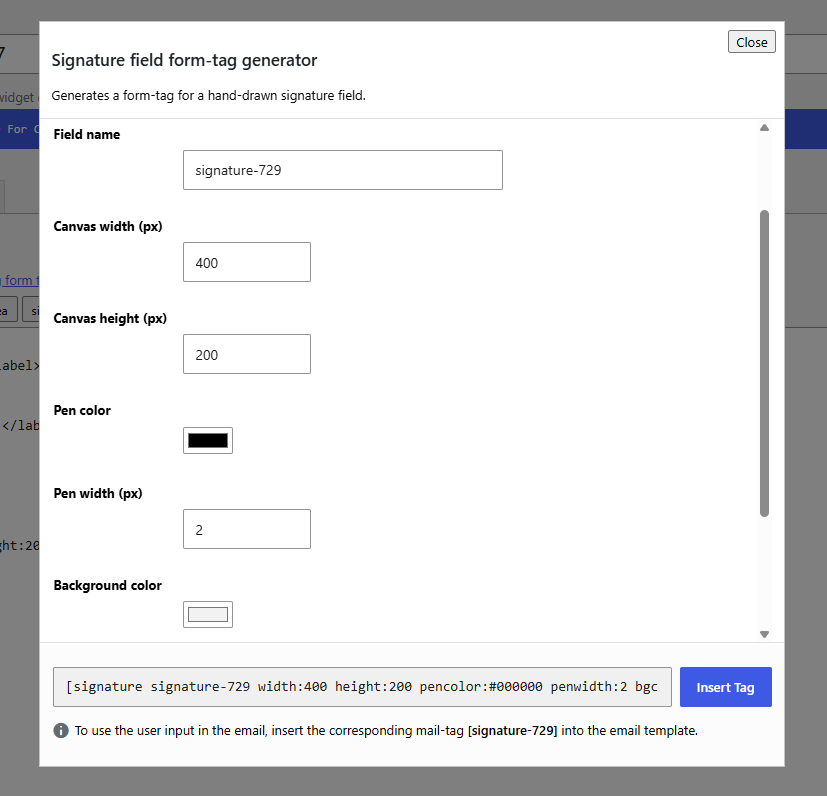
- Pen color & background color: click either field to open the built-in color picker drag the alpha slider down for a semi-transparent or fully transparent pad instead of a solid color
- Canvas size: set width/height in pixels; smaller for compact mobile-first forms, larger for full-width desktop contracts the pad shrinks responsively on narrow screens automatically
- Pen width: thinner (1-2px) for precise signatures, thicker (3-5px) for a bolder look
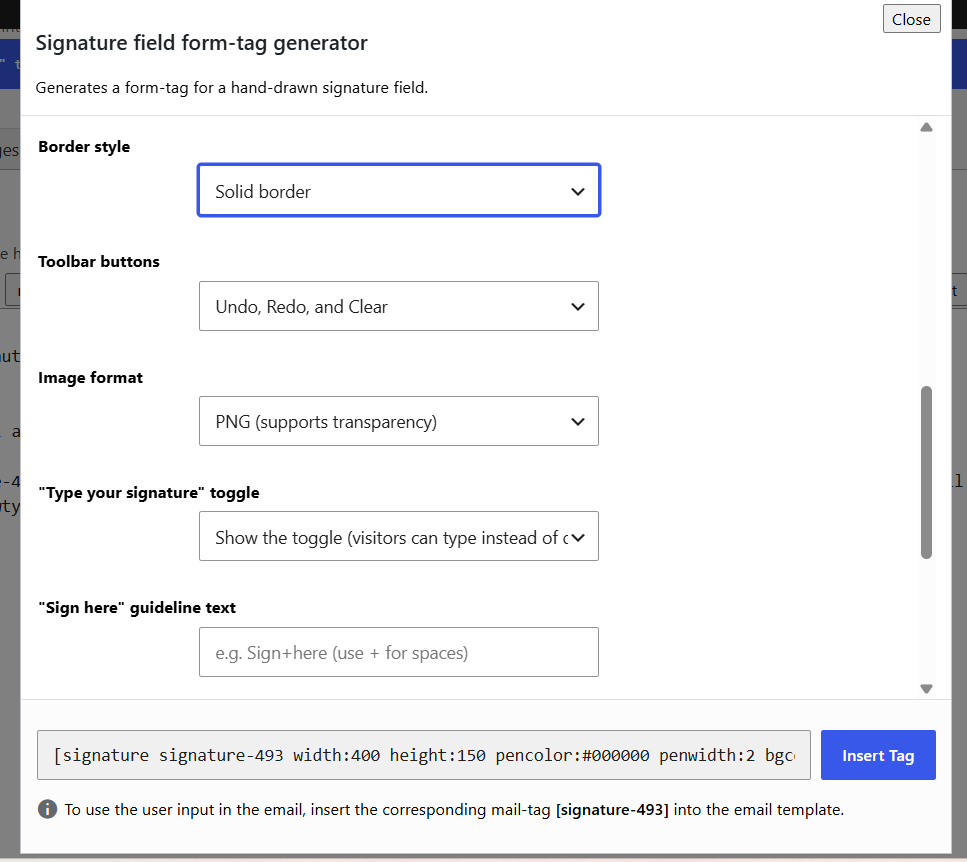
- Toolbar: choose Undo+Redo+Clear, Clear only, or no buttons at all – useful for a minimal look or when you want zero friction to sign
- Border style: solid outline, soft shadow, or none
- Image format: PNG (supports transparency) or JPG (smaller files)
- Custom styling: use the
class:option to target the field with your own CSS if you need finer control than the built-in options
2.2 Type-to-Sign, Guidelines & Watermark
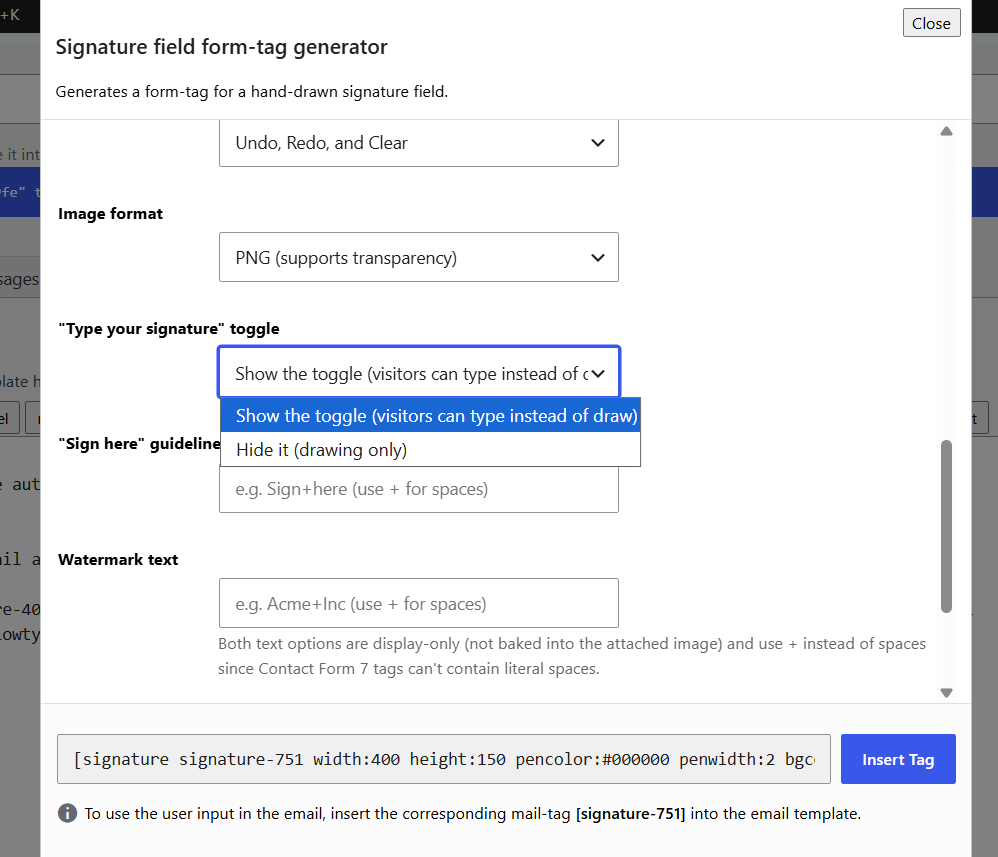
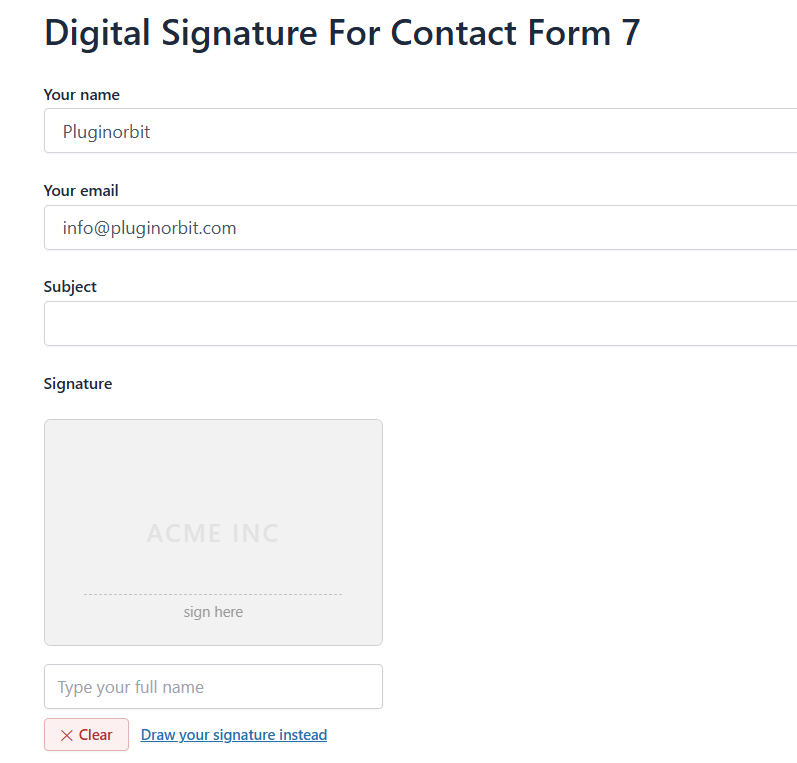
- Type-to-sign toggle: on by default; visitors can type their name instead of drawing, rendered on the same pad and submitted the same way – turn it off per field with
allowtype:0, or site-wide in Settings - Sign-here guideline:
signtext:Sign+hereadds a faint dashed line and label that fades out once the visitor starts signing - Watermark:
watermark:Acme+Incadds faint background text behind the pad, also fades out once signing starts - Both are display-only aids – neither is ever part of the exported/emailed image
2.3 Full Tag Options Reference
| Option | What it does | Default |
|---|---|---|
width / height | Canvas size in pixels | 400 / 150 |
pencolor | Color of the drawn line | #000000 |
penwidth | Line thickness, 1–20px | 2 |
bgcolor | Pad background (hex, rgba, or “transparent”) | #f2f2f2 |
toolbar | full / clear / none | full |
borderstyle | solid / shadow / none | solid |
imageformat | png / jpg | png |
allowtype | 1 / 0 – show the type-to-sign toggle | 1 |
clearlabel / undolabel / redolabel | Custom button text | — |
signtext / watermark | On-pad guideline / watermark text | — |
id / class | Standard CF7 options | — |
- Note the “+ for spaces” convention for
signtext,watermark, and the*labeloptions - Note that any option left off a tag falls back to the site-wide default from Signature Settings, then the plugin’s built-in default
Example:
[signature signature-409 width:300 height:200 pencolor:#000000 penwidth:2 bgcolor:#f2f2f2 borderstyle:solid toolbar:full imageformat:png allowtype:1 signtext:Sign+here watermark:Acme+Inc]


