How signatures reach your inbox, where the files go, and quick fixes for common issues.
3.1 Email Notifications & the Mail-Tag
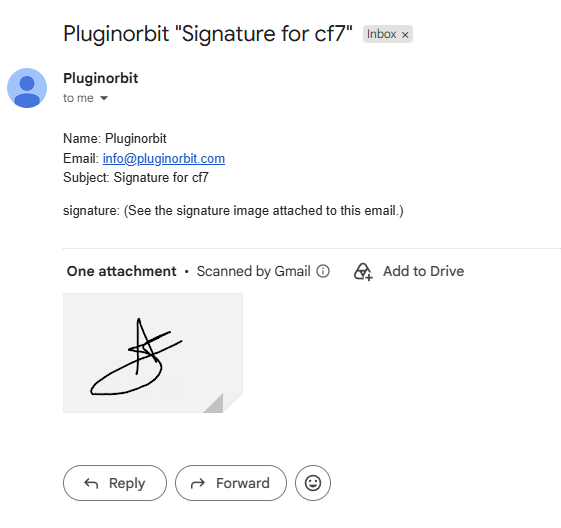
- Every submission with a drawn signature automatically gets the PNG attached to the notification email – nothing to configure
- To reference the field in your message body, go to the Mail tab and insert
[your-field-name](e.g.[signature-123]); it’s replaced with a short note (“See the signature image attached to this email.”) instead of raw image data - Signature files are written to
wp-content/uploads/podsig-signatures/only long enough to send the email, then deleted automatically – no permanent storage, which matters if you’re covering GDPR/compliance
3.2 Site-Wide Signature Settings
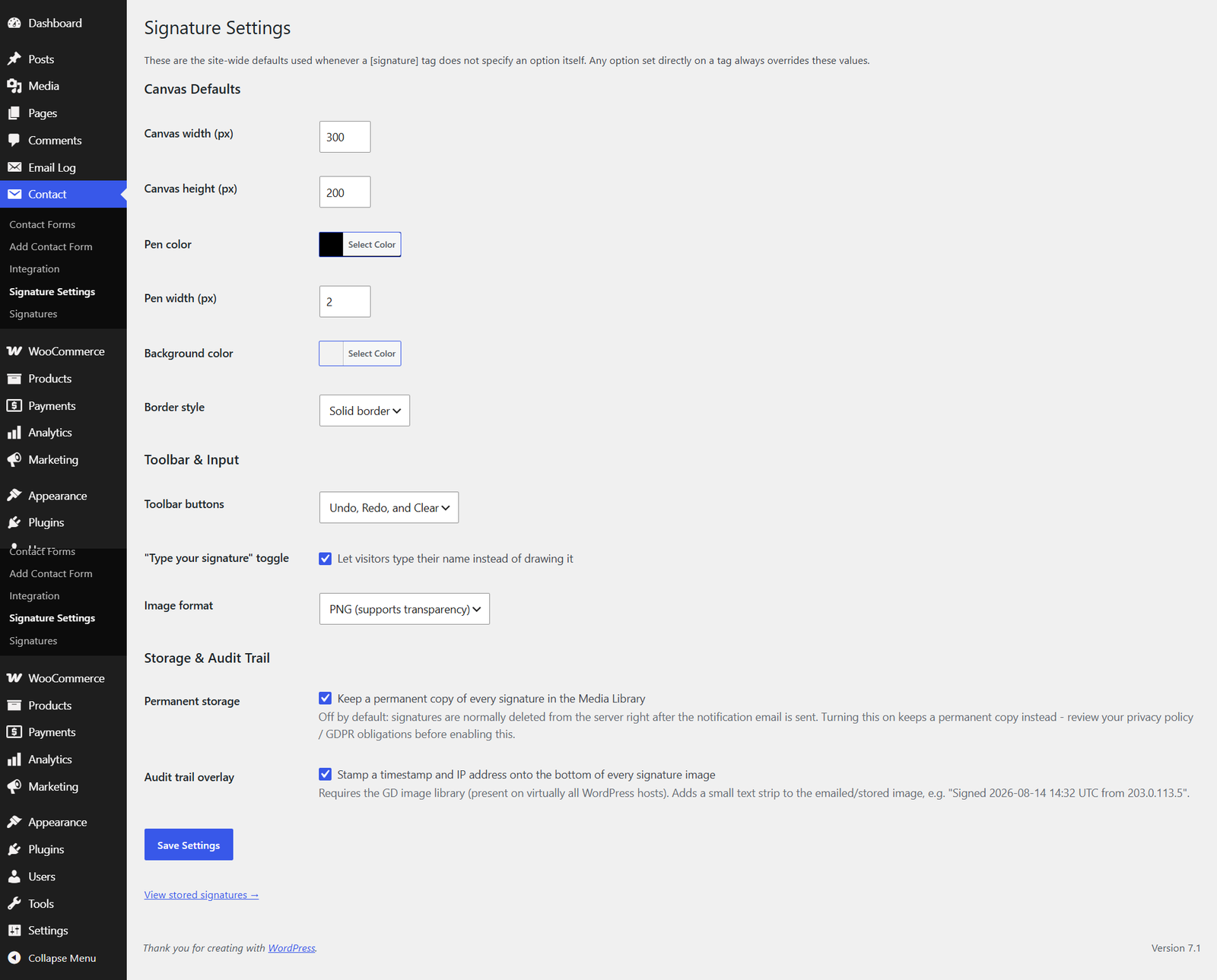
- What it’s for: set canvas, color, toolbar, and image format defaults once instead of repeating them on every tag
- Any option set directly on a
[signature]tag always overrides the site-wide default
3.3 Permanent Storage, Audit Trail & the Signatures Gallery
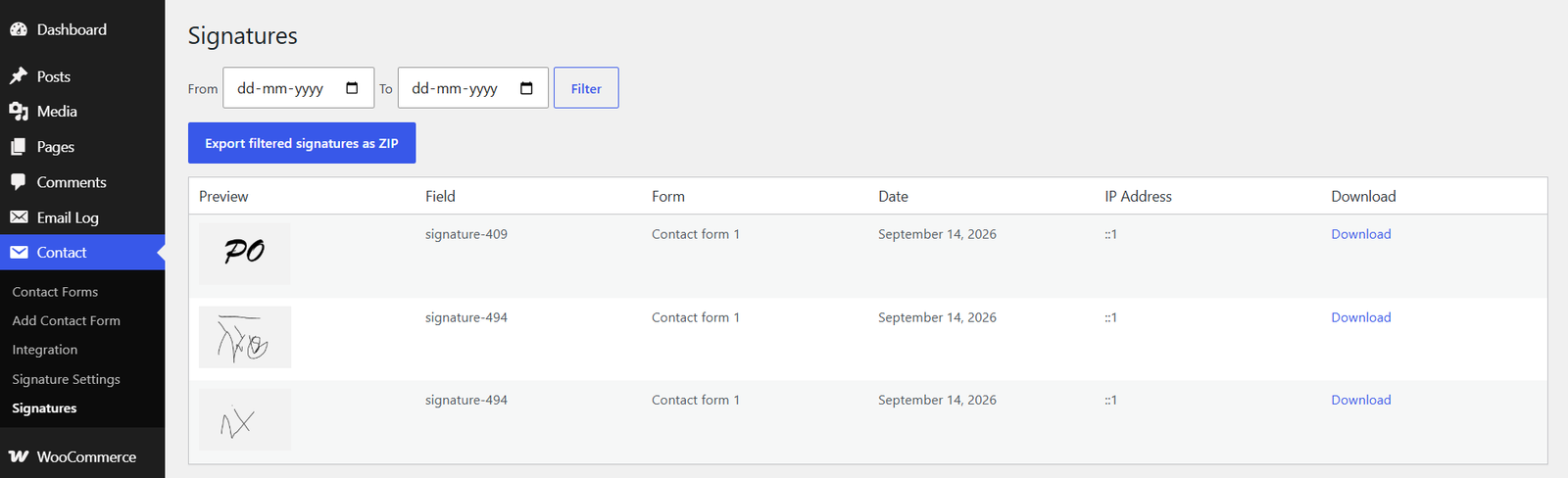
- Permanent storage: off by default; one checkbox in Settings keeps a private copy of every signature in the Media Library (form, field, date, IP attached) – note the privacy/GDPR callout here
- Audit trail stamp: optional “Signed [date/time] UTC from [IP]” text burned onto the bottom of the image itself, for extra verification
- Signatures gallery: browse stored signatures, filter by date range
- Bulk export: download the filtered results as a single ZIP
3.4 Troubleshooting Common Issues
Checklist format, grouped by symptom:
Signature field not showing on the front end
- Confirm Contact Form 7 is active and the tag was actually saved
- Check the browser console (F12) for JavaScript errors
- Check for a caching plugin serving an old version of the page
“Insert Tag” button greyed out in the tag generator
- Requires Contact Form 7 6.0 or later (Tag Generator v2) – update CF7 if you’re on an older version
Signature not appearing in the received email
- Check spam/junk folder
- Confirm a signature was actually drawn before submitting
- Check your hosting provider’s email attachment size limits
Signature pad not working properly on mobile
- Use a recent version of Chrome, Safari, or Firefox
- Try clearing the mobile browser’s cache
3.3 Frequently Asked Questions
Use BetterDocs’ FAQ shortcode/block so this renders as an accordion:
- Is the signature legally binding? (depends on jurisdiction/use case – not legal advice)
- Is this GDPR-friendly? (yes – no permanent storage by default)
- Does it work with other CF7 addons? (generally yes, it’s a standard form-tag)
- Can I use more than one signature field in the same form? (yes, give each a unique name)
- Does it slow down my site? (no – assets only load on pages using this field)


