Go to WooCommerce → Digital Signature → GDPR & PDF Invoice with Signature.
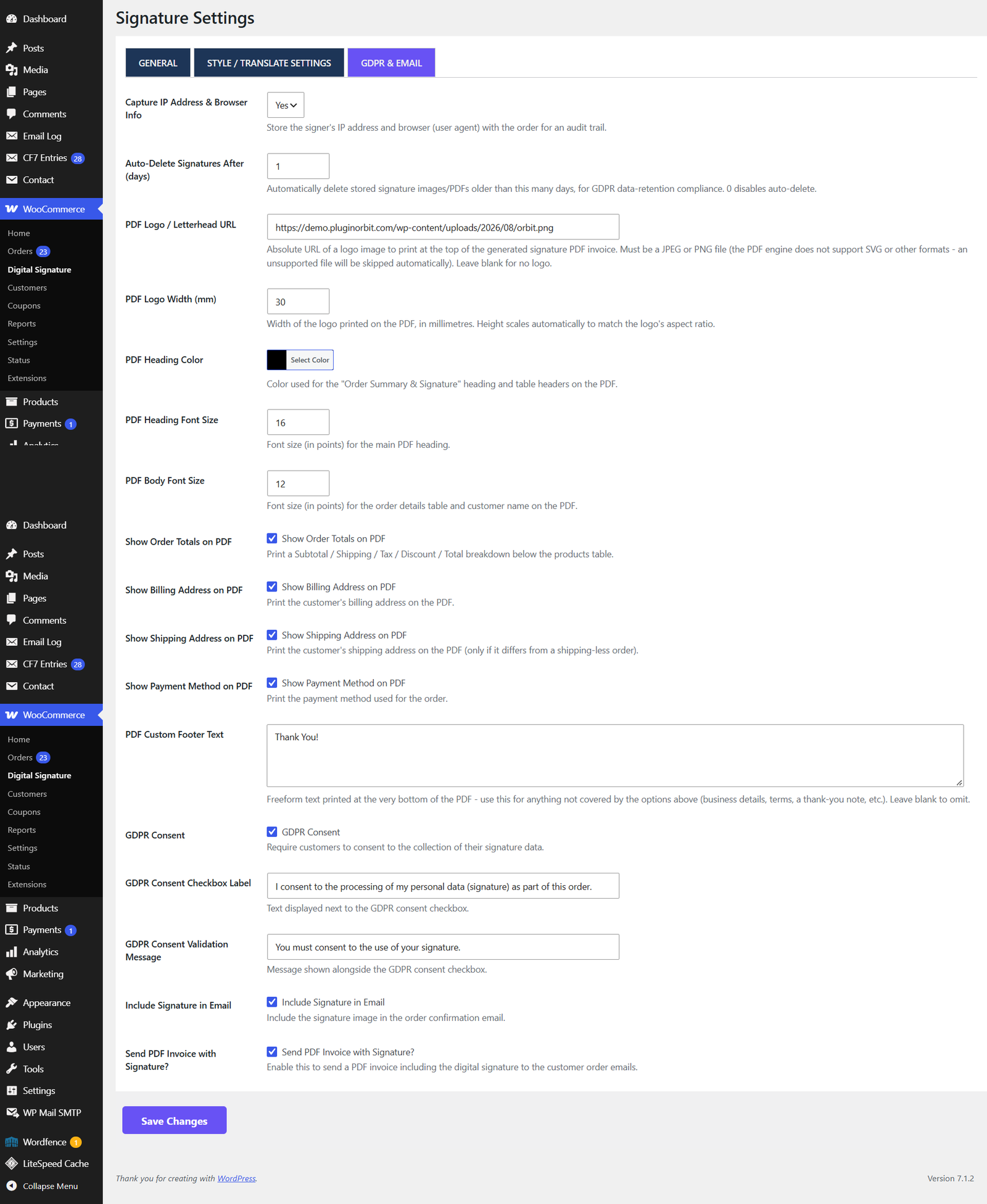
GDPR consent
| Setting | What it does |
|---|---|
| GDPR Consent | Adds a required consent checkbox next to the signature pad. |
| GDPR Consent Label | The text shown next to the checkbox. |
| GDPR Validation Message | Shown if the customer tries to check out without ticking the box. |
Restrict to logged-in users
Restrict Signature to Logged-In Users: when enabled, guests see a message instead of the pad (customisable via Logged-In Restriction Message), and must log in to sign.
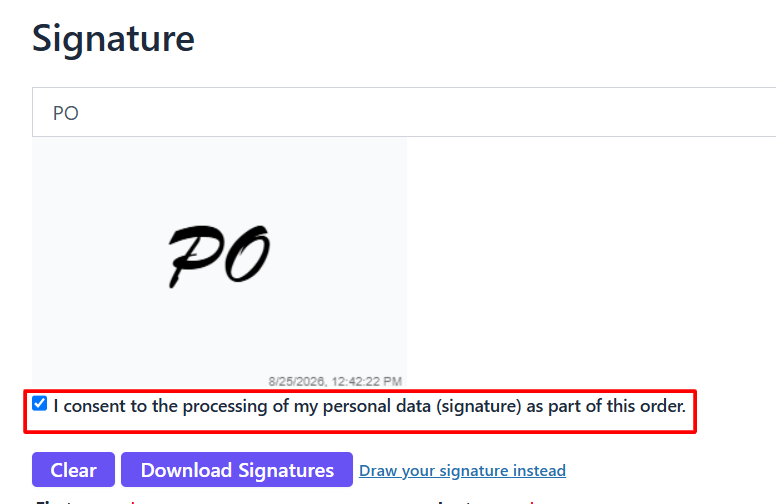
Audit trail
Capture IP Address & Browser Info: when enabled, the signer’s IP address and browser (user agent) are recorded against the order, alongside an automatically generated tamper-evidence hash of the signature image. This is visible on the order edit screen.
Email & PDF invoice
| Setting | What it does |
|---|---|
| Include Signature in Email | Adds the signature image to the WooCommerce order confirmation email. |
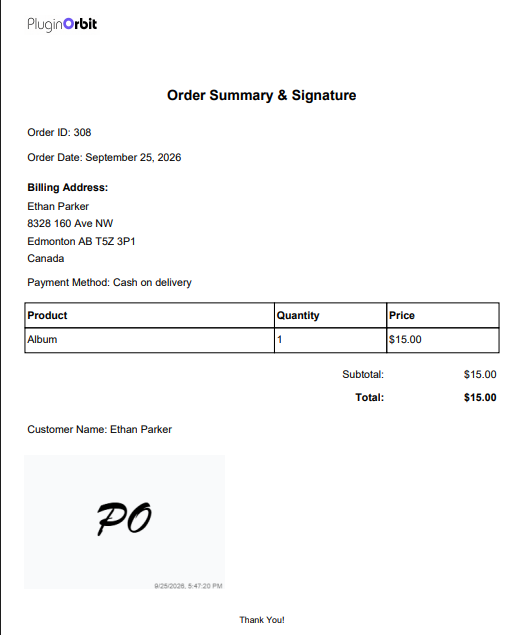
| Attach Signed PDF Invoice | Generates a PDF summarising the order with the signature embedded, and attaches it to the confirmation email. |
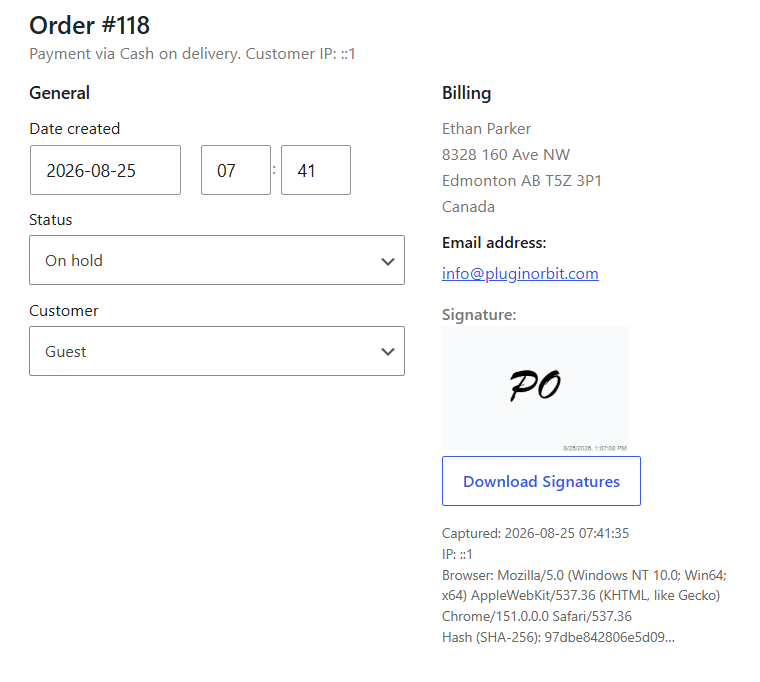
| PDF Logo / Letterhead URL | A logo printed at the top of the generated PDF. Must be a JPEG or PNG file, SVG and other formats aren’t supported by the PDF engine and will be skipped automatically. |
| PDF Logo Width (mm) | Controls how large the logo prints on the PDF. |
| PDF Heading Color | Colour used for the PDF’s main heading and table headers. |
| PDF Heading Font Size / PDF Body Font Size | Font sizes for the heading and the rest of the document. |
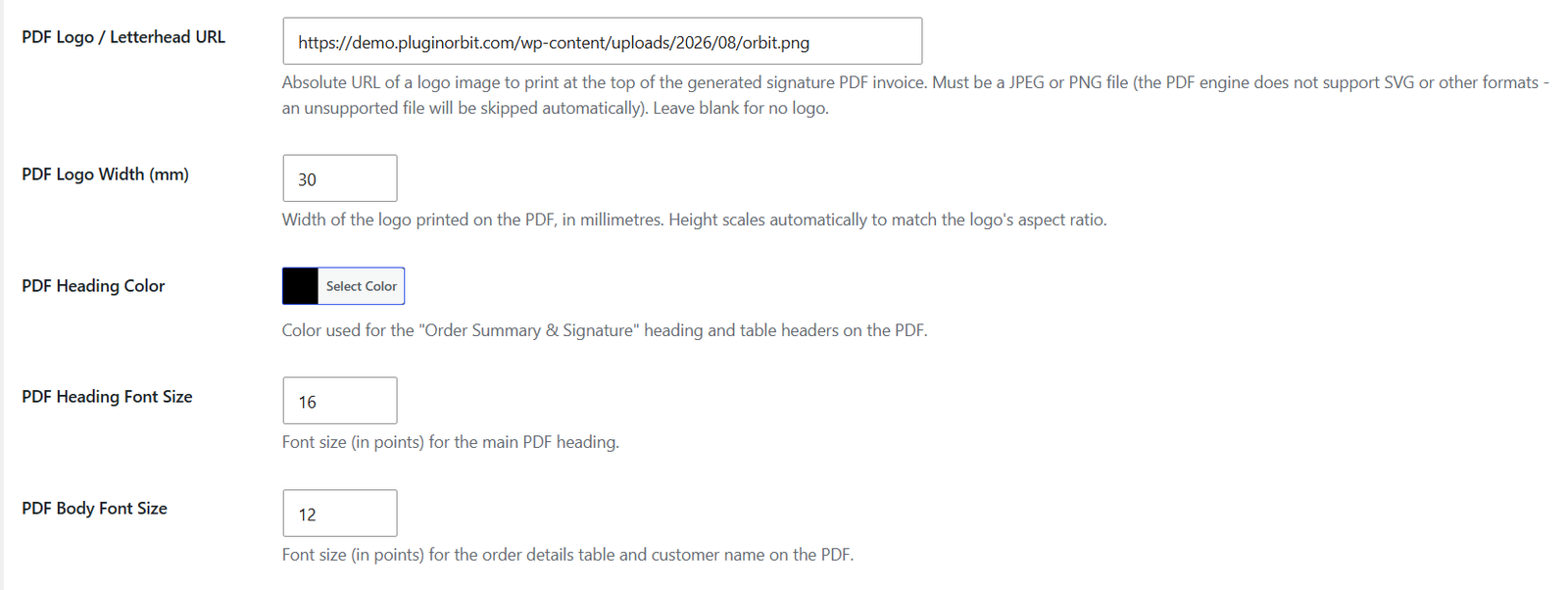
Customizable PDF invoice content
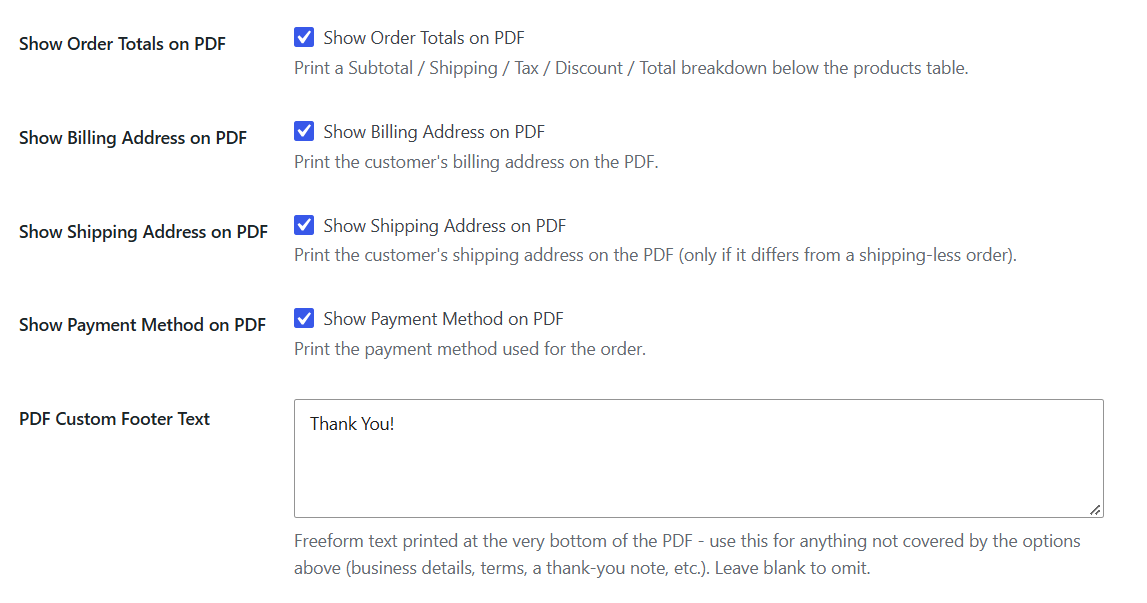
Choose exactly what appears on the generated PDF, and add your own text to it:
| Setting | What it does |
|---|---|
| Show Order Totals on PDF | Prints a Subtotal / Discount / Shipping / Tax / Total breakdown below the products table. On by default. |
| Show Billing Address on PDF | Prints the customer’s billing address. |
| Show Shipping Address on PDF | Prints the customer’s shipping address. |
| Show Payment Method on PDF | Prints the payment method used for the order. |
| PDF Custom Footer Text | A free-text box, add anything you want printed at the bottom of every PDF (business address, return policy, a thank-you note, terms, etc.). Printed centered, below the signature. Leave blank to omit. |
Data retention
Auto-Delete Signatures After (days): automatically deletes stored signature images and PDFs older than the given number of days. Set to 0 to keep them indefinitely. Signatures are also included automatically in WordPress’s built-in Tools → Export/Erase Personal Data flow.


